

Lift it up. Watch it explain itself.
Lift and Learn
Digital Signage
Sparsa's lift and learn digital signage puts a hidden sensor under each product tells the screen what's in the shopper's hand. Lift two and the screen compares them side by side.
Digital signage since 2013 · 300+ cities · 50,000+ screens
 Display idle — lift a product
Tap a product to lift it
Put all backYour Dashboard
How it works
How lift and learn technology works, from hand to screen
Four things happen between the shopper's hand and the screen. The whole sequence runs in under a second, offline if you need it to.
Product is tagged
A sensor sits under, behind or inside the display product. Nothing is visible to the shopper and the product stays fully handleable.
Lift is detected
When a product is lifted, the sensor detects the movement and instantly identifies the corresponding SKU, triggering the relevant digital content.
Content is triggered
The paired screen switches instantly to that product's playlist — video, specs, price, offer, or a side-by-side if two items are lifted together.
Interaction is logged
Every lift is timestamped and sent to your dashboard, so you learn which products get handled, when, and for how long.
Why brands install it
Why brands choose lift and learn digital signage
Lift-and-learn for digital signage answers the question the shopper was about to ask a staff member, at the exact moment they ask it.
Sells the feature the pack can't fit
Packaging has room for a claim. A screen has room for the demonstration, the ingredient story, the warranty, and the reason this SKU costs more than the one next to it.
Works when nobody is free to help
Peak hours are exactly when your best-informed staff member is with another customer. The display doesn't queue.
Turns handling into data
You already know what sold. Lift and learn technology tells you what was considered and put back: the gap where merchandising, pricing or content needs work.
Makes the premium SKU explain itself
Lift two products at once and the screen runs a comparison. It is the cleanest way to justify a trade-up at the shelf edge.
Stops the display going stale
New campaign, new price, new festive offer, pushed from our CMS to every store overnight. No printing, no store visit, no version drift.
Earns its place in the fixture
Between interactions the unit runs as a standard signage screen, so the shelf keeps working even when nobody is standing at it.
Where it works
Where interactive lift and learn kiosks work best
Anywhere a product is worth picking up.
Retail stores
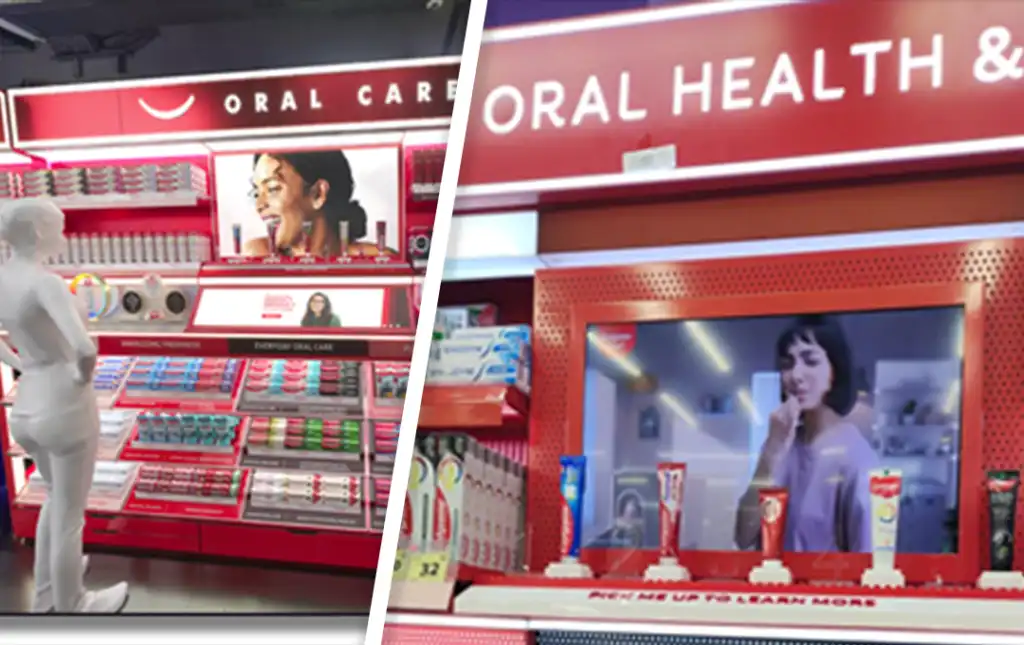
Cosmetics counters, electronics walls, footwear, paint and hardware aisles: places where shoppers already handle the product before deciding.
Brand shop-in-shops
Own the explanation inside someone else's store, where floor staff sell twenty brands and can't go deep on yours.
Exhibitions & trade shows
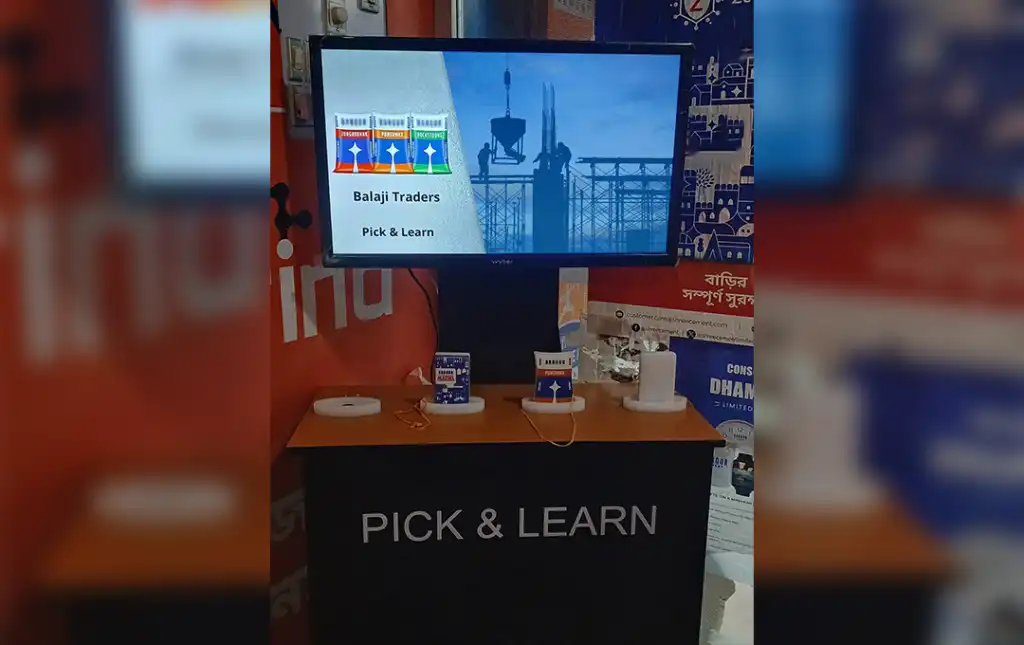
Interactive lift and learn kiosks give you a stand that demonstrates itself. Visitors get the full pitch while your team is mid-conversation with someone else.
Experience centres & showrooms
Material samples, fabric swatches, component cutaways: every sample carries its full spec sheet without a printed folder.
Museums & education
Pick up an artefact replica or a lab component and get the explanation in the visitor's language, at their pace.
Hospitality & F&B
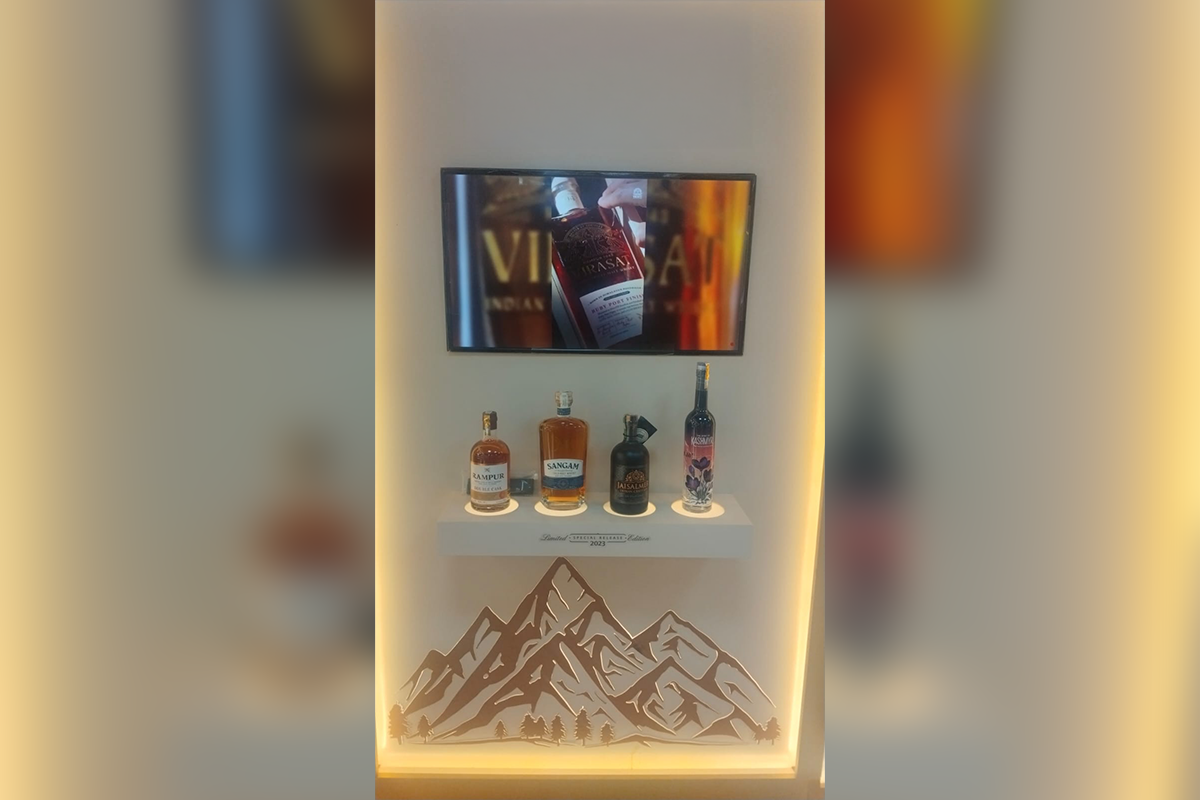
Lift a bottle, see the tasting notes and the pairing. It sits alongside the buffet and menu displays we already run.
What you get
One vendor from survey to the fifth year of service
Most in-store tech dies quietly because hardware, software, content and support come from four different companies. All four of these are ours.
Hardware
Sensors, controllers, commercial-grade displays and media players for interactive lift and learn kiosks. We source, test and warranty the whole chain, and build the fixture too if the shelf needs to be custom.
Software & CMS
Map each sensor to a playlist, schedule campaigns by store or region, and update every screen remotely. Cloud, on-premise or fully offline, depending on your IT policy.
Content production
Our in-house team produces the videos, motion graphics and layouts. Content built for a 10-second glance at arm's length is a different craft from an ad film.
Installation & support
Site survey, installation and ongoing service through our own engineers, not a subcontractor you have never met.
Our support promise
What happens after go-live


Before you ask us
What is lift and learn technology?
Lift and learn technology links a physical product to a digital screen. A sensor detects when a shopper picks the product up, and the screen plays content about that exact item, such as a video, specs, price or a comparison. Putting it back returns the screen to its default loop.
Can lift-and-learn for digital signage use our existing screens?
Often, yes. If your current displays are commercial-grade and can run our media player, we add the sensors and controller and keep the screens. We confirm compatibility during the site survey.
Do we have to replace our existing shelves?
Usually not. Sensors retrofit into most standard gondolas, counters and display units. If your fixture genuinely can’t take them, we design and manufacture a replacement; we build over 2,000 custom display units a year.
Do interactive lift and learn kiosks need internet in every store?
No. The trigger logic runs locally, so the display keeps working through an outage. You need connectivity only for remote content updates and for sending interaction data to the dashboard, and that syncs whenever the link is available.
How many products can one screen handle?
A single controller typically handles multiple positions on one fixture, and multiple controllers can drive one screen. We size this during the site survey against your planogram.
Can our own team update the content?
Yes. The CMS is built for marketing teams, not engineers: upload, schedule, assign to stores. If you’d rather not run it in-house, our content team manages it for you as a service.
What stops the products from walking out?
Retractable security tethers for high-value items, and the lift data itself flags positions that stay empty longer than they should.
How is lift and learn different from Engage & Learn?
It’s the same family. Engage & Learn covers press-to-play and touch-triggered displays; lift and learn is the pick-up-triggered version. Most projects use both on the same fixture, and we scope which is right during the survey.
What does a lift and learn digital signage pilot cost?
It depends on sensing method, screen size, number of positions and whether we build the fixture. Send us your store count and a photo of the fixture, and we’ll come back with a scoped number rather than a range.