
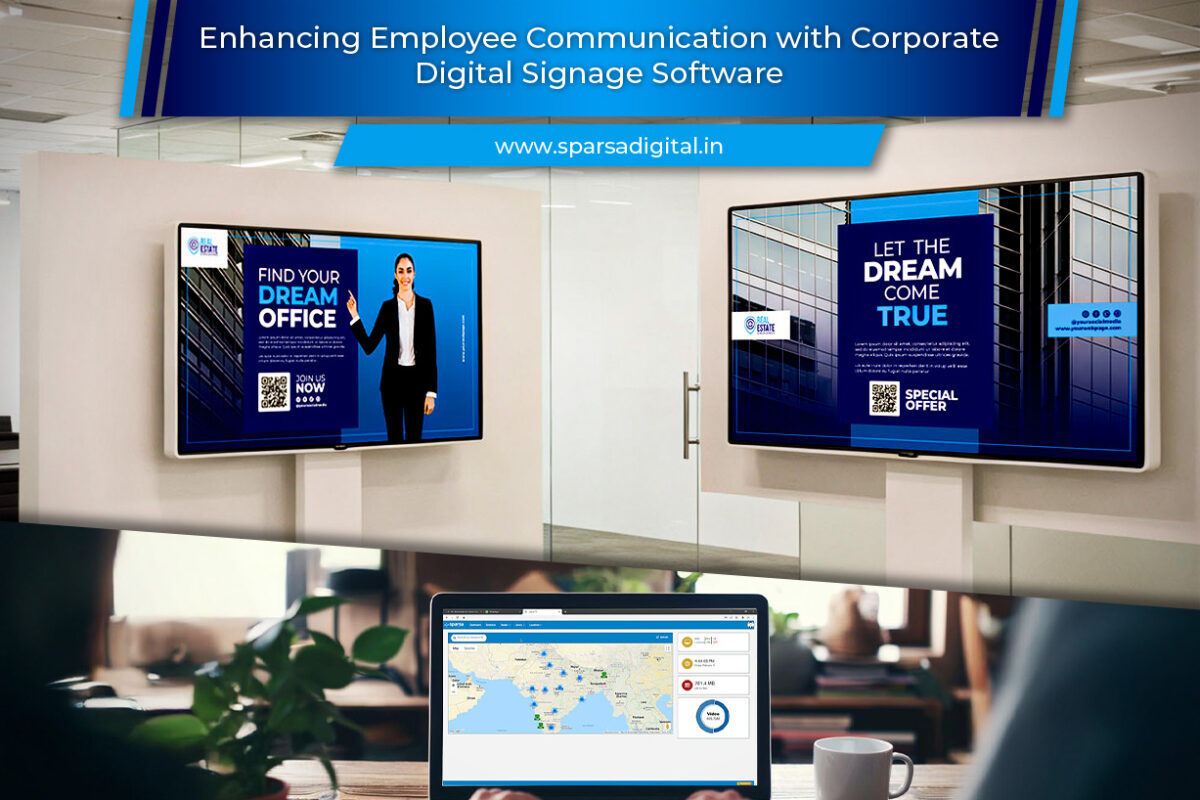
Enhancing Employee Communication with Corporate Digital Signage Software

Enhancing Employee Communication with Corporate Digital Signage Software

In today’s fast-paced corporate world, effective internal communication is no longer a “nice-to-have”, it’s a strategic necessity. As organizations expand across geographies and hybrid work becomes the new norm, keeping employees informed, motivated, and connected has become more challenging than ever. Traditional methods like email newsletters or bulletin boards often fail to capture employees’ attention in a digital-first environment.

This is where corporate digital signage software comes into play. By transforming ordinary screens into dynamic communication tools, it enables organizations to deliver targeted, timely, and visually engaging content that enhances employee communication and engagement across all levels.

Let’s explore how corporate digital signage software is redefining workplace communication and the key features that make it an indispensable asset for modern enterprises.

1. The Role of Digital Signage in Internal Communication

Corporate digital signage refers to the use of digital screens within workplaces, such as office lobbies, cafeterias, corridors, and break rooms, to display internal messages, announcements, dashboards, and alerts. When powered by robust software, these screens become a powerful channel to reach employees instantly and effectively.

Unlike traditional communication tools that depend on active engagement (like checking emails or intranet portals), digital signage leverages passive communication delivering messages in high-traffic areas where employees naturally gather. This ensures better message visibility and retention.

2. Benefits of Using Corporate Digital Signage for Employee Communication

a. Real-time Information Sharing

With digital signage software, HR and communications teams can update content in real time. Whether it’s a new company policy, emergency alert, or event reminder, information can be pushed instantly across all screens within seconds.

b. Improved Employee Engagement

Visually rich content such as videos, infographics, or live dashboards, grabs attention better than text-heavy emails. Engaged employees are more likely to absorb information, participate in events, and align with company goals.

c. Enhanced Transparency and Culture Building

Displaying company achievements, performance metrics, and leadership updates fosters transparency. Celebrating employee milestones, birthdays, and team successes also strengthens organizational culture.

d. Reduced Email Overload

Employees already face inbox fatigue. Digital signage helps declutter communication by diverting routine announcements to on-screen messages, freeing emails for critical conversations.

e. Effective Communication Across Locations

For organizations with multiple offices or remote teams, corporate digital signage ensures uniform communication. Every branch receives the same updates simultaneously, maintaining brand consistency and messaging accuracy.

3. Key Features of Corporate Digital Signage Software

Modern digital signage platforms are designed for ease, scalability, and control. Below are the features that make them ideal for employee communication:

a. Centralized Content Management

The software’s centralized dashboard allows administrators to manage all displays from one location. This ensures consistency while allowing customization for different departments or locations.

b. Remote Scheduling and Updates

With cloud-based control, HR or communications teams can schedule content ahead of time or make immediate updates remotely, perfect for real-time news or event-driven announcements.

c. Integration with Existing Systems

The best signage software integrates seamlessly with HRM, CRM, Slack, Teams, and calendar tools. For instance, meeting room schedules or employee recognition data can automatically display without manual intervention.

d. Dynamic and Interactive Content Support

From video messages by leadership to live social media feeds, dynamic content keeps communication fresh and engaging. Some systems even support interactive kiosks where employees can browse updates or submit feedback.

e. Role-based Access and Permissions

Different departments can manage their own content while adhering to brand guidelines. For example, HR can manage employee announcements, while IT oversees maintenance alerts.

f. Analytics and Performance Tracking

Track how often certain content is displayed, which screens get the most views, and how employees interact with the content. Analytics help fine-tune communication strategies for maximum impact.

4. Practical Applications of Corporate Digital Signage

a. Employee Announcements

Use signage screens to share company news, product launches, or organizational updates. When employees are informed, they feel more involved in the company’s mission.

b. Performance Dashboards

Displaying sales achievements, customer satisfaction scores, or KPIs motivates employees and promotes healthy competition among teams.

c. HR and Training Updates

Highlight training schedules, wellness programs, or HR policy reminders. Visually displaying these helps employees stay compliant and informed.

d. Recognition and Motivation

Feature “Employee of the Month,” top performers, and birthdays on digital boards. Recognition in public spaces boosts morale and encourages a positive workplace environment.

e. Safety and Emergency Alerts

In manufacturing or logistics environments, digital signage is crucial for broadcasting safety reminders or emergency instructions instantly.

f. Event Promotion

Whether it’s a town hall, corporate webinar, or team-building activity, screens can advertise upcoming events and encourage participation.

g. Wayfinding and Onboarding

Interactive digital signage can guide new employees or visitors through large campuses, displaying directions, welcome messages, or even meeting schedules.

5. Why Digital Signage Works Better Than Traditional Communication

AspectTraditional Tools (Email, Posters)Digital Signage
VisibilityOften overlooked or ignoredHighly visible in common areas
EngagementText-heavy and staticVisually dynamic and multimedia
Update SpeedManual and time-consumingInstant cloud updates
ConsistencyVaries across departmentsCentralized and uniform
MeasurementHard to track engagementAnalytics and proof-of-play available

By replacing static channels with interactive digital communication, companies can turn everyday spaces into hubs of information and connection.

6. How to Implement Digital Signage for Internal Communication

Step 1: Identify Communication Goals

Start by outlining what you want to achieve, whether it’s improving employee engagement, simplifying updates, or reinforcing company culture.

Step 2: Choose the Right Software

Select a corporate digital signage software that offers remote control, scalability, and integration capabilities. Cloud-based options are ideal for multi-location organizations.

Step 3: Define Screen Placement

Install screens strategically in high-traffic zones such as cafeterias, hallways, and reception areas to maximize visibility.

Step 4: Develop Content Strategy

Create a mix of content- announcements, dashboards, motivational quotes, training snippets, and recognition highlights to keep it engaging.

Step 5: Assign Roles and Permissions

Set up role-based access for different departments to maintain consistency while allowing flexibility.

Step 6: Analyze and Optimize

Use built-in analytics to evaluate content performance and make improvements based on data insights.

7. Real-world Use Cases

a. Corporate Headquarters

Display leadership updates, company KPIs, and live performance dashboards to foster alignment and motivation.

b. Retail and Franchise Chains

Use signage to communicate with front-line employees across stores sharing targets, product updates, and policy changes.

c. Manufacturing Units

Show safety guidelines, production milestones, and shift announcements in real time.

d. Educational Institutions

Share schedules, achievements, and event highlights across campus buildings to keep staff and students informed.

e. Healthcare Organizations

Display emergency codes, patient satisfaction metrics, and internal updates without disrupting workflows.

8. Best Practices for Effective Corporate Signage Communication

  • Keep content concise: Use short messages, bold visuals, and clear headlines.

  • Use automation wisely: Schedule recurring content (like daily dashboards) to save time.

  • Balance fun and formal: Mix business updates with motivational or cultural content to maintain interest.

  • Refresh content frequently: Avoid repetition by updating visuals weekly or bi-weekly.

  • Encourage feedback: Use QR codes or links for employees to share ideas or feedback on signage content.

9. Future of Corporate Digital Signage

As workplaces evolve, so does digital signage. Emerging technologies such as AI-driven personalization and data integration are making signage smarter. For instance:

  • AI algorithms can tailor messages by department or time of day.

  • IoT sensors can trigger safety or environmental messages based on conditions.

  • Integration with collaboration tools (like Slack or Teams) ensures communication remains consistent across all channels.

The future workplace will likely blend traditional communication with real-time, automated, and data-driven signage to create a truly connected employee experience.

Conclusion

Corporate digital signage software has revolutionized the way companies communicate internally. It offers an engaging, centralized, and scalable platform to connect employees, improve transparency, and strengthen workplace culture. By transforming walls and lobbies into live communication hubs, organizations can ensure every employee- onsite or remote feels informed, valued, and aligned with the company’s vision.

As businesses continue embracing digital transformation, the role of digital signage in enhancing employee communication will only grow. Investing in the right software today means investing in a more connected, motivated, and productive workforce tomorrow.

FAQs

Q1. What is corporate digital signage software?
 Corporate digital signage software is a platform that allows companies to manage and display internal communication content such as announcements, dashboards, and alerts on digital screens across offices or facilities.

Q2. How does digital signage improve employee engagement?
 It delivers visually engaging, real-time messages in high-traffic areas, making information easier to consume and more memorable than traditional emails or printed notices.

Q3. Can digital signage be used in hybrid workplaces?
 Yes. Cloud-based signage software enables communication across remote and physical locations, ensuring hybrid employees receive consistent updates.

Q4. What type of content can be shown on corporate digital signage?
 Content can include company news, KPIs, employee recognition, safety alerts, event updates, training videos, and motivational messages.

Q5. Is digital signage software expensive to implement?
 Costs vary by scale and features, but many cloud-based solutions are affordable and scalable, allowing businesses to start small and expand gradually.

Q6. How secure is corporate digital signage software?
 Most enterprise-grade systems include encryption, role-based access, and audit trails to ensure data security and prevent unauthorized content uploads.

Q7. How can companies measure the effectiveness of digital signage?
 Built-in analytics track display uptime, content play frequency, and employee engagement, helping organizations optimize their internal communication strategy.

Digital Notice Boards for Schools and Corporate Environments

Digital Notice Boards for Schools and Corporate Environments

  • Introduction
  • What is a Digital Notice Board?
  • Benefits of Digital Notice Boards
  • Real-Time Updates
  • Enhanced Communication
  • Cost and Environmental Efficiency
  • Customization and Interactivity
  • How Digital Notice Boards Work
  • Applications in Schools
  • Applications in Corporate Environments
  • Choosing the Right Digital Notice Board System
  • Future Trends in Digital Notice Board Technology
  • Conclusion
  • FAQs

Introduction

In today’s fast-paced world, traditional bulletin boards are being replaced by digital notice boards to streamline communication and information sharing. Whether in schools or corporate settings, digital notice boards offer a modern, dynamic, and efficient way to display announcements, schedules, and important updates. With real-time updates and engaging multimedia content, these digital solutions are revolutionizing how information is disseminated.

What is a Digital Notice Board?

A digital notice board is an electronic display system used to share announcements, news, and other essential information in an organization. These notice boards leverage LED, LCD, or e-paper technology to present real-time updates in a visually appealing manner. Unlike traditional static boards, digital notice boards can integrate multimedia elements such as images, videos, and animations to enhance engagement.

Benefits of Digital Notice Boards

Real-Time Updates
One of the most significant advantages of digital notice boards is their ability to update content instantly. Whether displaying emergency notifications or routine announcements, administrators can make real-time changes remotely, ensuring everyone stays informed.
Enhanced Communication
In both schools and corporate settings, digital notice boards facilitate clear and effective communication. They eliminate outdated paper notices and reduce confusion by presenting consistent, easily accessible information.
Cost and Environmental Efficiency
By replacing paper-based announcements, digital notice boards contribute to environmental sustainability. Schools and businesses save money on printing costs while reducing paper waste, promoting eco-friendly practices.
Customization and Interactivity
Digital notice boards allow customization to fit specific needs. Users can schedule content, include QR codes for additional resources, and integrate interactive elements to boost engagement. This flexibility enhances the way information is presented and consumed.

How Digital Notice Boards Work

A digital notice board operates using cloud-based or local software that manages content display. The key components include:
Display Screen: LED, LCD, or e-paper screens provide a clear visual presentation.
Content Management System (CMS): A software platform that enables users to create, schedule, and update content remotely.
Internet or Network Connectivity: Allows seamless remote access and integration with databases, calendars, and other systems.

Applications in Schools

Classroom Announcements
Teachers can use digital notice boards to display schedules, assignments, and exam timetables, ensuring students remain well-informed.
Emergency Alerts
Schools can instantly broadcast emergency messages regarding weather conditions, lockdowns, or other safety concerns.
Student Engagement
Interactive digital notice boards encourage student participation by displaying achievements, event details, and motivational messages.

Applications in Corporate Environments

Internal Communication
Corporations use digital notice boards to streamline internal messaging, ensuring employees are updated on company news, HR policies, and performance metrics.
Meeting and Conference Room Schedules
Displaying meeting room bookings and corporate event schedules helps in optimizing workplace organization.
Employee Recognition
Businesses can showcase employee achievements, birthdays, and milestones to foster a positive work environment.

Choosing the Right Digital Notice Board System

When selecting a digital notice board, consider the following factors:
Display Type: Choose between LED, LCD, or e-paper based on readability and energy efficiency.
Software Compatibility: Ensure it integrates with existing communication and scheduling systems.
Remote Access: Look for cloud-based solutions that allow remote updates.
Customization Features: Opt for systems that support multimedia and interactive content.

The future of digital notice boards is promising, with advancements such as:
AI-Powered Content Scheduling: Automated updates based on user engagement and preferences.
Touchscreen and Voice-Activated Displays: Enhancing interactivity for better user experience.
Augmented Reality (AR) Integration: Allowing users to access 3D content and immersive presentations.

Conclusion

The shift to digital notice boards is transforming communication in schools and corporate environments. By offering real-time updates, interactive content, and cost-effective solutions, these digital tools improve efficiency and engagement. Whether for student announcements or corporate briefings, digital notice boards are an essential innovation in modern communication.
With continuous technological advancements, organizations can expect even more sophisticated digital notice board systems, incorporating AI, interactivity, and sustainability. The adoption of these systems not only enhances information sharing but also supports an eco-friendly and digitally driven future.
For educational institutions and businesses seeking a reliable, future-proof communication tool, investing in digital notice boards is a smart decision. As workplaces and schools continue to evolve, digital signage will play a crucial role in streamlining information flow, ensuring accessibility, and fostering an engaged community.

FAQs

1. How do digital notice boards work?
Digital notice boards operate using a centralized content management system that allows real-time updates and remote access.
2. Are digital notice boards expensive to maintain?
While the initial setup may require investment, digital notice boards reduce long-term costs by eliminating paper waste and printing expenses.
3. Can digital notice boards be used for emergency notifications?
Yes, digital notice boards are ideal for emergency alerts, ensuring instant communication during critical situations.
4. Do digital notice boards require internet connectivity?
Some digital notice boards function offline, but internet connectivity enhances remote accessibility and content updates.
5. What industries can benefit from digital notice boards?
Beyond schools and corporates, digital notice boards are used in hospitals, hotels, retail stores, and government offices for effective communication.

The Impact of Digital Signage in Corporate Offices

The Impact of Digital Signage in Corporate Offices: Enhancing Workplace Communication

In the modern corporate landscape, effective communication is essential for fostering productivity, collaboration, and employee engagement. Traditional methods of disseminating information, such as email newsletters and bulletin boards, often fall short in capturing the attention of today’s digitally savvy workforce. Enter digital signage for corporate offices, a dynamic and versatile communication tool that revolutionizes how organizations connect with their employees. In this blog, we explore the benefits, applications, and best practices of office digital signage, and how it can transform workplace communication.

Corporate offices serve as the nerve centers of organizations, where employees gather to collaborate, innovate, and drive business success. However, in large and bustling office environments, communicating effectively with employees can be a challenge. Traditional methods of communication, such as emails, memos, and printed posters, struggle to cut through the noise and capture the attention of busy employees.
Digital signage addresses the challenge by delivering timely, relevant information to employees through engaging displays across office touch points.

The Evolution of Office Digital Signage

The concept of digital signage in corporate offices has evolved rapidly in recent years, driven by advancements in display technology, content management systems, and integration capabilities. What began as static displays showing basic announcements and schedules has transformed into interactive and personalized communication hubs that cater to the diverse needs of today’s workforce.

Digital signage solutions for corporate offices encompass a wide range of applications, including:

Employee Communications:

Digital signage serves as a central hub for internal communications, delivering company news, updates, and announcements directly to employees. From CEO messages and departmental updates to HR policies and employee recognition programs, digital signage ensures that employees stay informed and engaged.

Wayfinding and Navigation:

In large office buildings with complex layouts, digital signage helps employees navigate the premises efficiently. Interactive wayfinding displays provide interactive maps, directions to meeting rooms, and real-time occupancy information, reducing confusion and improving productivity.

Meeting Room Management:

Digital signage outside meeting rooms streamlines the booking and management of meeting spaces. Employees can easily view room availability, book meetings on the spot, and check in for scheduled meetings using touch-enabled displays or mobile apps, enhancing efficiency and optimizing resource utilization.

Corporate Branding and Culture:

Digital signage reinforces corporate branding and culture by showcasing company values, mission statements, and employee achievements. Engaging content such as videos, graphics, and employee spotlights fosters a sense of belonging and pride among employees, strengthening organizational culture.

Safety and Emergency Notifications:

Digital signage plays a critical role in communicating safety protocols, emergency procedures, and evacuation routes to employees. In the event of an emergency, real-time alerts and instructions can be broadcasted instantly across all displays, ensuring swift and orderly response.

Benefits of Office Digital Signage

The adoption of digital signage in corporate offices offers numerous benefits for organizations and employees alike:

Enhanced Communication:

Digital signage provides a dynamic and visually engaging platform for delivering information, ensuring that messages capture the attention of employees and resonate with them. From important announcements to company updates, digital signage facilitates effective communication across the organization.

Improved Employee Engagement:

Interactive features such as touchscreens, QR code scanning, and social media integration encourage employee engagement and participation. Employees can interact with content, provide feedback, and collaborate with colleagues in real-time, fostering a sense of ownership and belonging.

Increased Productivity:

Digital signage streamlines workflows and reduces friction in everyday tasks, such as booking meeting rooms or finding colleagues. By providing instant access to relevant information and resources, digital signage empowers employees to work more efficiently and effectively.

Cost Savings:

While the initial investment in digital signage may seem significant, the long-term cost savings are substantial. Eliminating printing and distribution costs associated with traditional communication methods reduces operational expenses and environmental impact, leading to a more sustainable and cost-effective communication strategy.

Data-Driven Insights:

Digital signage platforms offer analytics tools and reporting dashboards that provide valuable insights into employee engagement and content performance. Organizations can track metrics such as display impressions, content dwell time, and user interactions to optimize content strategy and measure ROI.

Best Practices for Implementing Office Digital Signage

Successful implementation of office digital signage requires careful planning and execution. Here are some best practices to consider:

Define Objectives:

Clearly define the objectives and goals of your digital signage initiative, whether it’s improving internal communication, enhancing employee engagement, or optimizing workplace productivity. Aligning the project with strategic business objectives ensures that it delivers tangible value to the organization.

Engage Stakeholders:

Involve key stakeholders, including department heads, IT professionals, facilities managers, and employee representatives, in the planning and decision-making process. Collaborate closely with stakeholders to understand their requirements, gather feedback, and ensure buy-in for the project.

Choose the Right Hardware and Software:

Select digital signage hardware and software solutions that meet the specific needs and requirements of your organization. Consider factors such as display quality, scalability, content management capabilities, integration options, and ongoing support.

Develop Compelling Content:

Invest in high-quality content creation that is visually appealing, relevant, and engaging to employees. Leverage a mix of multimedia elements, i9ncluding videos, graphics, animations, and dynamic data feeds, to capture attention and convey messages effectively.

Deploy Strategically:

Strategically deploy digital signage displays in high-traffic areas where employees are likely to see them, such as lobbies, break rooms, hallways, and common areas. Consider the viewing angles, lighting conditions, and accessibility of each location to ensure optimal visibility and impact.

Train Users:

Provide comprehensive training and support to users responsible for managing and operating digital signage displays. Train them on content creation tools, scheduling software, troubleshooting procedures, and best practices for maximizing engagement.

Measure and Iterate:

Continuously monitor the performance of your digital signage initiative and gather feedback from users to identify areas for improvement. Use analytics data to track key metrics and KPIs, such as content engagement, user interactions, and display effectiveness. Iterate on your content strategy and deployment approach based on insights gathered from data analysis.

Conclusion

Office digital signage represents a powerful tool for enhancing workplace communication, collaboration, and productivity in corporate environments. Digital signage empowers organizations to connect effectively with their workforce, delivering timely information to drive business success.

While the adoption of office digital signage presents implementation challenges, the benefits in terms of enhanced communication, improved employee engagement, and increased productivity far outweigh the initial investment. As technology continues to evolve, the future of office digital signage holds tremendous potential for innovation and transformation, enabling organizations to create more connected, responsive, and dynamic workplaces. By embracing these emerging trends and best practices, organizations can unlock the full potential of office digital signage and empower their workforce to thrive in the digital age.

cloud digital signage software

Cloud Digital Signage Software : Works Here’s The Proof!

The trend of digital signage is on the rise, presenting businesses with increased opportunities to enhance visitor comfort. The affordability of cloud digital signage software and its growing popularity among companies might come as a surprising development.

What is Cloud Digital Signage Software?

The advanced presentations you see that guide clients, and patients in specific areas would qualify under cloud digital signage software. Whether it’s the menu at Mcdonald’s or the Drove announcements you see illuminating on the expressway, it’s all digital signage. You can utilize these computerized signs to communicate data to your interest group. There are a few motivations behind why you could involve digital signage for your business. We should investigate some of them.

Retail

Retail organizations have a great deal to acquire from cloud digital signage software. They illuminate a client’s buys, particularly when they are set in an area that gets a ton of traffic. They lead to higher deals, in this way legitimizing the expansion in costs related to executing. Digital signage in retail spaces can give clients data about items, advancements, and bearings, thus substantially more. These signs are used to fuel the client’s buying choices and help to target explicit items.

Medical services

Sometimes, an excursion to the specialist’s office can be scary, however, digital signage can make it a more inviting experience. Medical care offices like emergency clinics and specialist workplaces can utilize cloud digital signage software to communicate changes. Those include administration changes, patient registration data or bearings, and even give a point of interaction inside the patients’ rooms. Individuals quite often float their consideration toward digital signage contrasted with conventional signs. So, it’s an extraordinary method to ensure individuals in the medical care industry or guests, realize what should be finished.

The Modern Office

A few organizations battle to keep their staff refreshed with the most recent hierarchical data. It is something which can frequently hinder them from satisfying their everyday errands in the most potentially productive way. Involving digital signage to share significant data in like manner regions can be a huge aid for your association. It can also help with workers’ commitment, as well.

Carrying out cloud digital signage software could include the establishment of equipment, like TVs or screens.
While digital signage is a long way from expected for organizations, it is difficult to contend with an answer. An answer that can expand your income by as much as 33% and diminish how much cash you spend.

Digital signage has gotten some decent forward momentum throughout the past 10 years or thereabouts. The quantity of ventures utilizing this type of publicizing and correspondence just keeps on soaring.

Interestingly, as per MarketWatch, the cloud digital signage software market is supposed to surpass $23 billion by 2023.

Anyway, how can it be that digital signage has acquired such a lot of ubiquity?

All things considered, to lay it out plainly, because it works.

The utilization of computerized shows has been demonstrated over and over to give a great many advantages for organizations. That too, from all over the planet, from expanded benefits to more elevated levels of commitment from clients and guests.

Research guarantees that computerized shows catch 400% a greater number of perspectives than static showcases.

Out of the relative multitude of advantages of digital signage solutions, these five stand apart as truly significant, and changing business.

Top 5 Cloud Digital Signage Software Advantages

Upgraded Commitment
Computerized signals catch 400% a bigger number of perspectives than static showcases. Even 8/10 of clients guarantee to have entered a store just because of computerized signage. So how does this influence business? More perspectives mean more chances to affect deals, and more interest implies more clients in your entryways. All of this can prompt open doors for more noteworthy deals.

More noteworthy Fulfillment
Digital signage can massively affect your clients’ general encounters. As indicated by a Computerized Signage Today article, clients that connect with cloud digital signage software report 46% higher fulfillment. Some portion of that is very likely because of the 35% reduction in saw stand-by time that Burkhart notes as being “quite possibly of everything you can manage to further develop client experience.” These are the sort of enhancements to clients’ encounters that can assist lead with bettering client maintenance.

More Motivation Buys
David Bawarsky, an expert in the tech area, expresses that 19% of individuals owned up to making an impromptu buy. That is because of digital signage. At the point when you compound these spontaneous buys with computerized signage’s impact on buy sum. It’s not difficult to perceive the amount of shelter advanced signage can be to business.

Higher Development
An assortment of ongoing reports expresses that brands experience a huge increment in deals after executing cloud digital signage software. Additionally, the examination is clear — computerized signage habitually prompts more in-store rush hour gridlock and clients spend altogether longer inside. These patterns help to work on business’ primary concerns, considering more noteworthy open doors later on.

Extra Open doors
Digital signage likewise assists with moderating different tedious positions that have generally been the obligation of representatives. For example, in the retail climate, cloud digital signage software can show heaps of deals data that workers never again need to invest energy handing off to the client. This saves their chance to take part in additional significant discussions. Also gives consumer loyalty and more chances to make the sort of associations that lead to a steadfast client base.

The exploration is done, and the outcomes are clear: Cloud Digital signage works.

From expanded people walking through to additional fulfilled clients, cloud digital signage software is making all the difference. Want to know more about the advantages? Connect with our experts at Sparsa Digital today, and get started!