

Table of contents
- What is an Electronic Blackboard?
- Core Features of an Electronic Blackboard
- Electronic Blackboard vs Smart Board: Comparison Table
- Electronic Blackboard vs Digital Whiteboard
- Side-by-Side: Electronic Blackboard vs Digital Whiteboard
- Winner for Classroom Use: Electronic Blackboard
- Which is Better for Indian Classrooms?
- Government Initiatives Supporting Electronic Blackboards
- Verdict: Electronic Blackboard Wins for Indian Classrooms
- Price Comparison
- Electronic Blackboard Price Segments in India (2026)
- Smart Board Price in India (2026)
- Hidden Costs to Factor In
- Where to Buy in India
- FAQs
- Final Verdict
The classroom of 2026 looks nothing like it did a decade ago. Dusty chalk boards have given way to gleaming digital displays, and teachers are no longer limited to markers and eraser dust. Two technologies dominate today’s education technology conversation: the electronic blackboard and the smart board. Both promise to transform learning, but they do it differently, and at very different price points.
What is an Electronic Blackboard?
An electronic blackboard is a large-format interactive display panel that serves as a digital replacement for the traditional chalkboard or whiteboard. It combines a high-definition LCD or LED screen with touch-sensitive technology, allowing teachers and students to write, draw, annotate, and interact with content directly on the surface using fingers, a stylus, or a special pen.
Think of it as a giant tablet mounted on your classroom wall. You can write on it like a blackboard, display slides and videos like a projector screen, connect it to a computer or the internet, and save everything you write with a single tap.
Core Features of an Electronic Blackboard
1. Touch and Writing Input Modern electronic blackboards support multi-touch input, meaning multiple students can interact with the board simultaneously. The writing experience is smooth and responsive, closely mimicking the feel of writing on paper.
2. Built-in Android or Windows OS Most mid-to-premium range electronic blackboards come with an embedded operating system (usually Android 11 or Windows 10/11), which means they work as a standalone device without needing a separate computer.
3. High-Resolution Display Screens typically range from 55 inches to 110 inches diagonally, with 4K Ultra HD resolution becoming the standard. This ensures that even students sitting in the back row can see content clearly.
4. Wireless Screen Mirroring Teachers can wirelessly cast their laptop, tablet, or smartphone screen to the board using Miracast, AirPlay, or proprietary apps. No cables, no adapters, no fuss.
5. Digital Pen and Annotation Tools Built-in software allows freehand writing, highlighting, drawing geometric shapes, inserting images, and annotating over any content, including PDFs, websites, and YouTube videos.
6. Saving and Sharing Notes Everything written on the board can be saved as a PDF or image and shared via email, WhatsApp, or a school management app instantly. Students no longer need to frantically copy notes before the board is erased.
7. Multiple Connectivity Ports HDMI, USB-A, USB-C, and SD card slots are standard. Most models also offer built-in Wi-Fi and Bluetooth.
Electronic Blackboard vs Smart Board: Comparison Table
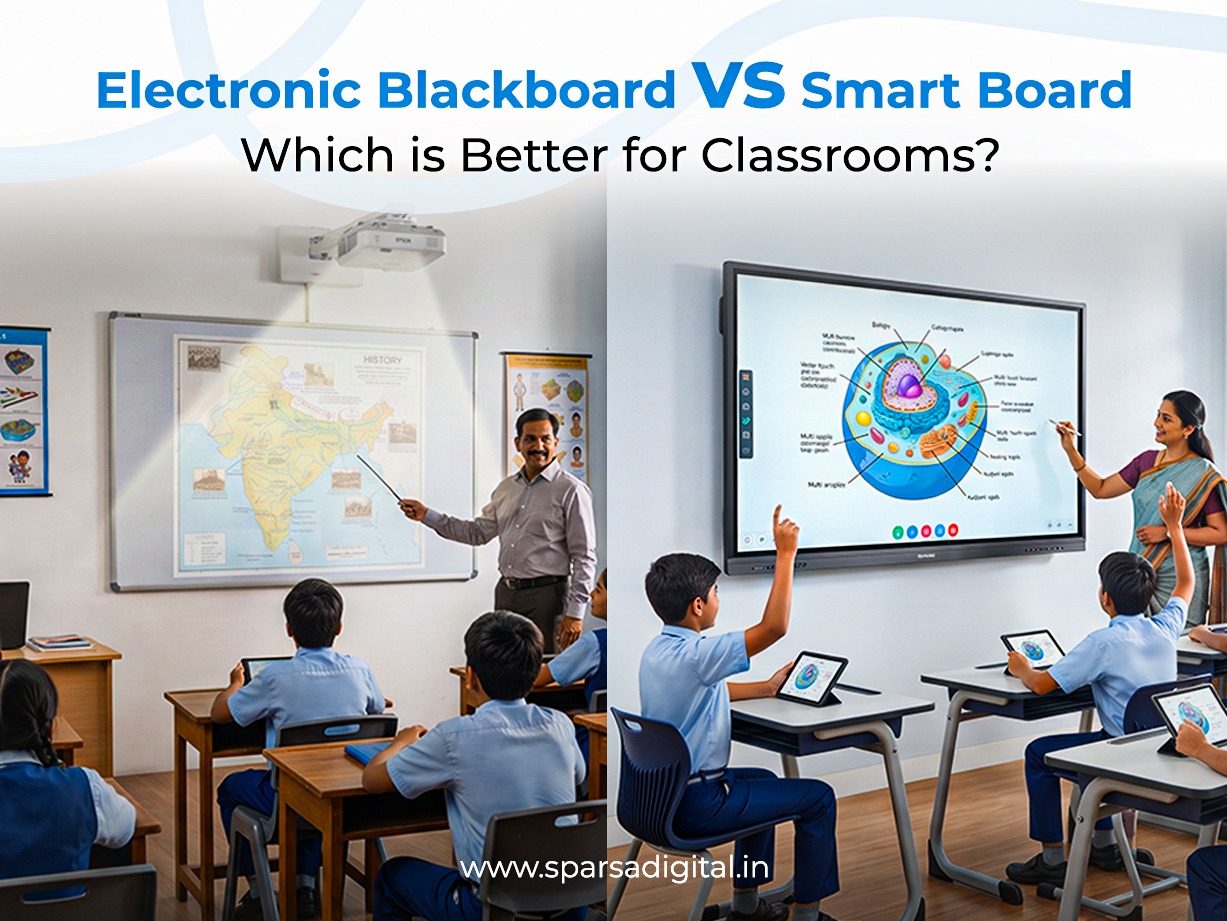
The terms “electronic blackboard” and “smart board” are often used interchangeably in casual conversation, but they are distinct products with different architectures, use cases, and price points. Here is a detailed side-by-side comparison:
| Feature | Electronic Blackboard | Smart Board |
| Technology | LED/LCD flat panel with infrared or capacitive touch | Projector-based or flat panel with proprietary touch technology |
| Display Type | Direct-view LED/LCD screen | Projection surface (older) or flat panel (newer SMART boards) |
| Resolution | 4K UHD (3840 × 2160) standard | 1080p Full HD (4K available in premium models) |
| Touch Points | 10-40 simultaneous touch points | 10-20 touch points (varies by model) |
| Built-in OS | Android / Windows | Android / Windows (varies by model) |
| Writing Experience | Smooth, pen-on-glass feel | Good, but software-dependent |
| Glare / Visibility | Low glare, anti-glare coating common | Older projection models suffer in bright rooms |
| Maintenance | Minimal- no lamp or projector to replace | Projector lamp replacements (older models); panels need care |
| Durability | High- solid state display, 50,000+ hour lifespan | Moderate to High- projectors wear faster |
| Setup Complexity | Simple wall mount and power on | May need projector alignment and calibration |
| Software Ecosystem | Open Android/Windows + proprietary app | Proprietary SMART Learning Suite (subscription) |
| Collaboration Tools | Built-in whiteboard, screen share, multi-user | SMART Learning Suite, Notebook software |
| Connectivity | HDMI, USB, Wi-Fi, Bluetooth, OPS slot | HDMI, USB, Wi-Fi (model dependent) |
| Screen Size Options | 55″, 65″, 75″, 86″, 98″, 110″ | 55″, 65″, 75″, 86″ (SMART MX series) |
| Price Range (India) | ₹40,000 – ₹3,00,000+ | ₹1,50,000 – ₹6,00,000+ |
| Brand Examples | ViewSonic, BenQ, Maxhub, Iball, Philips | SMART Technologies, Promethean, Clevertouch |
| Best For | Schools, colleges, coaching centres, budget buyers | Premium corporate, international schools |
| After-Sales Support (India) | Good- many local distributors | Limited- fewer authorised service centres |
| Internet Required | Optional | Optional |
| Cloud Integration | Google Drive, OneDrive, Dropbox | SMART Cloud, Google Classroom |
Key Takeaway from the Table
The electronic blackboard wins on value for money, display clarity, and ease of use. Smart boards win on brand recognition and proprietary collaborative software, but that advantage comes at a steep premium that most Indian institutions find difficult to justify.
Electronic Blackboard vs Digital Whiteboard
Another comparison that causes confusion in the market is the electronic blackboard versus the digital whiteboard. These two products overlap in functionality but differ in design intent and deployment context.
What is a Digital Whiteboard?
A digital whiteboard is a large touchscreen display optimised primarily for freehand collaboration including writing, sketching, brainstorming, and annotating. Products like the Microsoft Surface Hub, Google Jamboard (discontinued in 2024), and Samsung Flip fall into this category. They are designed more for meeting rooms and creative studios than traditional classrooms.
Side-by-Side: Electronic Blackboard vs Digital Whiteboard
Display and Writing Focus
Electronic blackboards are built for teaching. Their software typically includes lesson tools – timers, spotlight modes, screen zoom, subject-specific templates (graph paper, music staves, periodic tables), and student response systems. Digital whiteboards, on the other hand, prioritise infinite canvas drawing and real-time remote collaboration over structured teaching flows.
Software and Content Management
An electronic blackboard usually integrates with a school’s existing learning management system (LMS), whether that is Google Classroom, Microsoft Teams for Education, or a local solution. Digital whiteboards are often standalone tools, excellent for a single session but harder to fit into a curriculum-based workflow.
Cost Comparison
| Product Type | Entry Price (India) | Mid-Range | Premium |
| Electronic Blackboard | ₹40,000 | ₹80,000-₹1,50,000 | ₹2,00,000+ |
| Digital Whiteboard | ₹70,000 | ₹1,50,000-₹2,50,000 | ₹4,00,000+ |
| Smart Board (SMART Technologies) | ₹1,50,000 | ₹2,50,000-₹4,00,000 | ₹5,00,000+ |
Durability in Classroom Conditions
Classrooms are rougher environments than boardrooms. Students brush against screens, use incorrect pens, and occasionally knock things over. Electronic blackboards are generally built with more rugged, scratch-resistant glass surfaces and higher ingress protection ratings compared to digital whiteboards designed for gentle corporate use.
Winner for Classroom Use: Electronic Blackboard
For structured, curriculum-based teaching in schools and colleges, the electronic blackboard is the better fit. Digital whiteboards shine in project-based learning activities, group design workshops, and staff training sessions, basically scenarios where open-ended collaboration matters more than lesson delivery.
Which is Better for Indian Classrooms?
This is the question that matters most for educators, school trustees, and government bodies making bulk procurement decisions. The answer requires understanding the specific realities of Indian educational infrastructure.
The Indian Classroom Reality
India has roughly 1.5 million schools (as per UDISE+ 2023-24 data), ranging from elite private institutions in metro cities to single-teacher government schools in remote villages. Any technology recommendation must account for this enormous diversity.
Here are the key parameters that define technology choices in Indian classrooms:
1. Power Supply Stability
Voltage fluctuations are common across many parts of India, particularly in Tier 2, Tier 3 cities and rural areas. Electronic blackboards with built-in surge protection and wide voltage tolerance (100V-240V AC) handle this better than projector-based smart boards, which can suffer lamp damage from power surges.
2. Ambient Light Conditions
Most Indian classrooms, especially government schools have large windows for natural ventilation, which also means plenty of ambient sunlight. Projection-based smart boards wash out entirely in such conditions unless expensive blackout curtains are installed. Electronic blackboards with 350-450 nit brightness and anti-glare panels remain clearly visible even in bright rooms.
3. Dust and Humidity
India’s diverse climate, from Rajasthan’s dry heat to Kerala’s high humidity, puts stress on electronic equipment. Electronic blackboards’ sealed flat-panel design resists dust ingress far better than projector-based systems with exposed optical components.
4. Teacher Training and Tech Comfort
The National Education Policy (NEP) 2020 emphasises teacher upskilling, but ground realities show that many teachers, especially in rural areas, are still in the early stages of digital literacy. Electronic blackboards with intuitive Android interfaces, familiar from smartphones, have a much lower learning curve compared to smart boards with proprietary software ecosystems requiring dedicated training.
5. Budget Constraints
Government school budgets under Samagra Shiksha and state-level schemes often cap per-classroom spending at ₹60,000-₹1,00,000. Private schools in Tier 1 cities may allocate ₹1,50,000-₹3,00,000 per room. Smart boards (SMART Technologies, Promethean) are almost always out of reach for government schools. Mid-range electronic blackboards fit comfortably within most procurement budgets.
Government Initiatives Supporting Electronic Blackboards
Several central and state government programmes are driving electronic blackboard adoption in India:
- PM eVIDYA: Focuses on digital content delivery in government schools, creating demand for display hardware compatible with DIKSHA content.
- Samagra Shiksha Abhiyan: Funds ICT labs and smart classroom setups in government schools across all states.
- CBSE’s ICT Integration Policy: Encourages interactive teaching tools in affiliated schools.
- State-specific schemes: Gujarat’s e-Classroom initiative, Tamil Nadu’s Smart Classroom Scheme, and Uttar Pradesh’s ICT@School programme have collectively deployed tens of thousands of electronic blackboards over the past five years.
Verdict: Electronic Blackboard Wins for Indian Classrooms
For the vast majority of Indian schools and colleges, whether government-aided or private; the electronic blackboard offers the best combination of performance, reliability, ease of use, and value for money. Smart boards are excellent products, but their pricing, limited service network, and dependence on proprietary software make them a poor fit outside well-funded international schools and premium corporate campuses.
Price Comparison
Understanding the price landscape helps you set realistic expectations and identify the right product tier for your institution’s needs.
Electronic Blackboard Price Segments in India (2026)
Entry-Level Segment: ₹35,000 – ₹70,000
These are typically 55-inch or 65-inch panels with 1080p or 4K resolution, basic Android OS (often Android 9 or 10), and 10-point touch. Suitable for classrooms where budget is the primary constraint.
Representative brands: Iball EduBoard, Wollensak, local assembled brands
Best for: Government schools, budget-conscious private schools, coaching centres
Mid-Range Segment: ₹70,000 – ₹1,50,000
The sweet spot for most Indian schools. These offer 4K resolution, Android 11 or 13, 20-point touch, better build quality, OPS (Open Pluggable Specification) module support, and 3–5 year comprehensive warranties. Screen sizes range from 65 to 86 inches.
Representative brands: ViewSonic ViewBoard IFP, BenQ Board RP series, Philips Signage
Best for: Private schools (CBSE, ICSE), engineering colleges, corporate training rooms
Premium Segment: ₹1,50,000 – ₹3,00,000
Commercial-grade panels with 4K HDR displays, 40-point touch, built-in Intel or Qualcomm processors, advanced annotation software, and up to 50,000-hour panel life. These are built for heavy daily use across multiple periods.
Representative brands: Maxhub, ViewSonic IFP75G, BenQ Board Master
Best for: Tier 1 private schools, IITs, medical colleges, premium coaching chains
Ultra-Premium: ₹3,00,000 and above
At this tier, you are paying for the SMART Technologies or Promethean brand, their proprietary learning software subscriptions, and the prestige that comes with them. Performance-per-rupee at this level is significantly lower than mid-range alternatives.
Representative brands: SMART Board MX, Promethean ActivPanel
Best for: International schools (IB/Cambridge), top-tier corporate campuses
Smart Board Price in India (2026)
| Model | Size | Price (Approx.) |
| SMART Board MX (V4) | 65″ | ₹1,80,000 – ₹2,20,000 |
| SMART Board MX (V4) | 75″ | ₹2,40,000 – ₹2,80,000 |
| SMART Board MX (V4) | 86″ | ₹3,20,000 – ₹3,80,000 |
| Promethean ActivPanel 9 | 65″ | ₹1,60,000 – ₹2,00,000 |
| Promethean ActivPanel 9 | 75″ | ₹2,20,000 – ₹2,60,000 |
Note: Prices are indicative and vary by dealer, GST input credit eligibility, and bulk order discounts.
Hidden Costs to Factor In
When comparing prices, always look beyond the sticker price. Factor in:
- Wall mounting bracket: ₹2,000 – ₹8,000
- Installation charges: ₹1,500 – ₹5,000 per unit
- Annual Maintenance Contract (AMC): 5-8% of hardware cost per year
- Software subscriptions: SMART Learning Suite costs approximately ₹8,000-₹12,000 per year per board
- OPS module (if not included): ₹15,000 – ₹40,000
- UPS / voltage stabiliser: ₹3,000 – ₹10,000 (highly recommended in India)
For a 75-inch electronic blackboard purchased at ₹1,20,000, the total first-year cost including installation and accessories typically comes to ₹1,35,000- ₹1,45,000. A comparable smart board at ₹2,50,000 + software subscription + accessories easily crosses ₹2,80,000 in the first year.
Bulk Purchase Discounts
For orders of 10 units or more, most distributors offer 8-15% discounts. Government tenders and GeM (Government e-Marketplace) procurement often bring prices down by an additional 10-20%. Schools planning to equip multiple classrooms should always negotiate bulk pricing and insist on a pilot unit evaluation before committing.
Where to Buy in India
Knowing where to buy is as important as knowing what to buy. Here are the most reliable purchase channels for electronic blackboards in India.
1. Authorised Brand Distributors
The safest way to buy. Authorised distributors offer genuine products, manufacturer warranties, and access to brand-certified installation teams. Most major brands have state-wise distributor networks:
- ViewSonic India: Authorised partners in all major cities; find them at viewsonic.com/in
- BenQ India: BenQ Interactive Flat Panel dealers listed on benq.com/en-in
- Maxhub India: Dedicated education division with pan-India reach
- Iball: Strong presence in Tier 2/3 cities through IT distribution networks
2. Government e-Marketplace (GeM Portal)
For government schools, aided institutions, and central/state-funded universities, GeM (gem.gov.in) is the mandatory procurement channel. Most major brands list their education displays on GeM with standardised specifications, transparent pricing, and guaranteed delivery timelines. GST-registered institutions can also claim input tax credit on purchases.
Tip: Look for “GeM Certified” products with verified seller ratings of 4 stars and above.
3. Online Marketplaces
Amazon India and Flipkart carry electronic blackboards from brands like ViewSonic, BenQ, Philips, and several white-label manufacturers. While pricing is often competitive, be cautious:
- Verify that the seller is an authorised dealer (look for “Brand Authorised” badge on Amazon)
- Check warranty terms carefully. Some online listings offer only 1-year carry-in warranty vs the 3-year on-site warranty available through official channels
- Installation is usually not included with online purchases
Industrybuying.com and Moglix.com are B2B platforms popular for institutional procurement, often offering credit terms for schools and colleges.
4. Education Technology Exhibitions
Annual events like BETT India, EduTech India, and various state-level education expos are excellent places to compare products hands-on, negotiate with multiple vendors simultaneously, and often secure exhibition-special pricing. Schools planning major upgrades should plan their calendar around these events.
5. Local IT Hardware Dealers
Every city in India has a cluster of IT hardware dealers, be it SP Road in Bengaluru, Nehru Place in Delhi, Lamington Road in Mumbai, or Ritchie Street in Chennai. Local dealers are convenient for small orders, quick replacements, and personalised post-sales support. However, always verify that they are authorised resellers of the brand you are purchasing.
FAQs
Q1. What is the difference between an electronic blackboard and a smart board?
An electronic blackboard is a broad category of interactive flat panel displays used in classrooms and offices. A smart board specifically refers to products made by SMART Technologies, a Canadian company. While smart boards are a type of electronic blackboard, not all electronic blackboards are smart boards. In everyday Indian usage, both terms are often used loosely to describe any large interactive touchscreen for teaching.
Q2. How long does an electronic blackboard last?
Most quality electronic blackboards have a rated panel life of 50,000 hours, which translates to roughly 15-20 years of classroom use (assuming 8 hours per day, 250 days a year). The LED backlighting gradually dims over time but rarely fails catastrophically. With proper care, avoiding sharp objects on the screen, using a stabiliser, and keeping the ventilation grilles clear; you can realistically expect 10-15 years of reliable service.
Q3. Can students interact with the board directly?
Yes, this is one of the core advantages of an electronic blackboard. Students can come up to the board and write, solve problems, drag and drop elements, and interact with educational apps directly using touch or the included stylus. Many models support simultaneous multi-user interaction, allowing several students to work on the board at the same time.
Q4. Is an internet connection required for an electronic blackboard to work?
No. Electronic blackboards work perfectly offline. You can display presentations, play videos stored on a USB drive, write notes, and use all built-in teaching tools without any internet connection. Wi-Fi is useful for downloading apps, accessing cloud content, and enabling wireless screen mirroring from teacher devices, but it is not a requirement for basic classroom use.
Q5. What is the ideal screen size for a classroom?
The right size depends on the room dimensions and the number of students:
- Classrooms up to 30 students / room depth up to 6 metres: 65-75 inches
- Classrooms with 30-50 students / room depth 6-9 metres: 75-86 inches
- Large lecture halls with 50+ students: 98-110 inches (or dual-screen setups)
A common mistake is buying a screen that is too small, resulting in students in the back rows struggling to read content.
Q6. Can an electronic blackboard replace a projector?
Absolutely, and in most cases it does so with significant advantages. Electronic blackboards offer better image clarity (no blurring or keystoning), work in ambient light without needing to darken the room, require no lamp replacements, have lower power consumption over time, and are touch-interactive (something a projector screen is not). The only scenario where projectors still make sense is for very large auditoriums (300+ capacity) where a single flat panel cannot provide adequate screen size.
Q7. Are electronic blackboards safe for students’ eyes?
Yes, quality electronic blackboards use flicker-free LED panels with blue-light reduction modes, which are gentler on the eyes than traditional CRT screens or projectors. Most reputable brands include an eye comfort mode that automatically adjusts brightness and colour temperature based on ambient light. That said, as with any screen, it is good practice to ensure regular breaks and not have students staring at the board for extended uninterrupted periods.
Q8. What software comes with an electronic blackboard?
Most electronic blackboards come with a proprietary teaching software suite that includes: a digital whiteboard / annotation tool, built-in browser, screen recording, classroom timer, QR code generator for file sharing, and integration with Google Classroom or Microsoft Teams. The embedded OS (Android or Windows) allows you to install additional educational apps from the Play Store or Windows Store. Popular additions include Nearpod, Kahoot, GeoGebra, and local apps like DIKSHA.
Final Verdict
The debate between electronic blackboards and smart boards is, for most Indian institutions, not a close contest. Here is the summary:
Choose an electronic blackboard if:
- You are a government or budget-conscious private school
- You want a product that works out of the box without complex training
- Your school is in a location with variable power supply or bright classrooms
- You need reliable after-sales service across India
- You are purchasing 10 or more units
Choose a smart board if:
- You are an international school with an IB or Cambridge curriculum
- Your institution already uses SMART Learning Suite and wants to maintain ecosystem consistency
- Budget is not a constraint and you want a brand with global recognition
- You are in a metro city with access to authorised SMART service centres
Invest in good teacher training, reliable Wi-Fi infrastructure, and quality mounting hardware alongside the board itself. A great product in an unsupportive environment will underperform; a good product in a well-prepared classroom will transform learning outcomes.
