

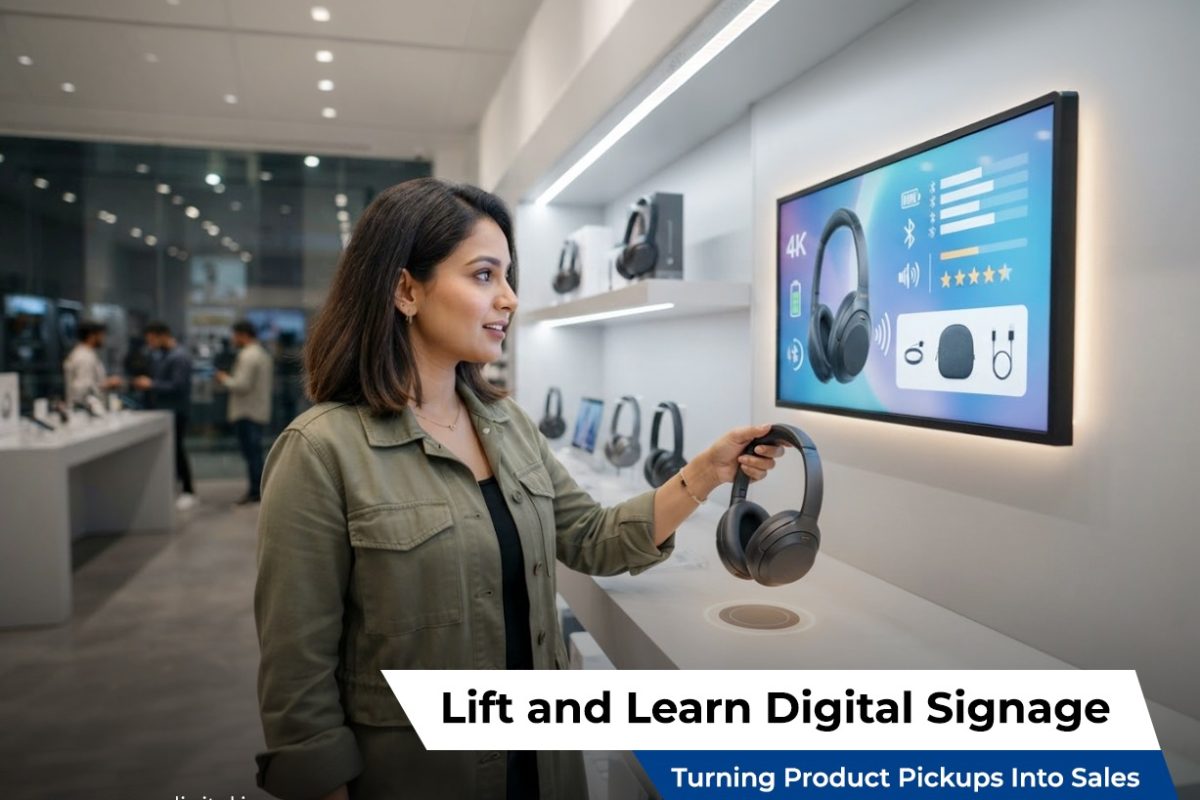
Every retailer knows the moment matters. A shopper reaches for a product, holds it, turns it over, reads the label, and then decides: buy it, or put it back. That few-second window is one of the most valuable moments in the entire shopping journey. It’s also the exact moment lift and learn digital signage is designed to influence.
Rather than letting that critical decision point pass silently, lift and learn digital signage turns it into an opportunity. The instant a product is lifted, a nearby screen responds with content designed to answer questions, build confidence, and nudge the shopper toward the checkout counter instead of the shelf.
What Is Lift and Learn Digital Signage?
Lift and learn digital signage refers to screens, whether shelf-edge displays, wall-mounted monitors, or interactive kiosks, that automatically show relevant content the moment a shopper picks up a product. Unlike traditional digital signage, which loops the same content regardless of shopper behavior, lift and learn signage responds directly to physical interaction in real time.
This creates a shift from passive advertising to active engagement. Instead of hoping a shopper glances at a screen showing generic promotions, the display becomes directly relevant to the exact product in the shopper’s hand at that exact moment.
The technology relies on sensors, such as RFID, weight sensors, or optical detection, working behind the scenes to identify which product has been lifted and trigger the corresponding content. The result feels seamless to the shopper: pick up a product, and information appears almost instantly.
Why Product Pickup Moments Matter So Much
To understand why lift and learn digital signage is so effective, it helps to understand shopper psychology at the point of decision.
The Pickup Moment Signals Genuine Interest
When a shopper walks past a shelf without stopping, they’ve shown minimal interest. But the moment they physically pick up a product, that action signals real consideration. They’re evaluating whether this item fits their needs, budget, and expectations.
This is precisely the moment retailers want to reinforce with helpful, persuasive information, and precisely the moment traditional static signage fails to respond to.
Uncertainty Often Leads to Abandonment
Many shoppers pick up a product, hesitate, and put it back down, not because they’ve decided against it, but because they still have unanswered questions. Is this compatible with what I already own? Is there a better version available? What do other customers think of it?
Without immediate answers, hesitation often turns into abandonment. Lift and learn digital signage addresses this hesitation directly by delivering relevant answers before doubt turns into a lost sale.
Information at the Point of Decision Drives Confidence
Research into consumer behavior consistently shows that confidence drives conversion. When shoppers feel informed, they’re more likely to complete a purchase. Lift and learn digital signage delivers exactly the information needed at exactly the moment it’s needed most, reducing uncertainty right when it matters.
How Lift and Learn Digital Signage Drives Sales
Understanding the mechanics is one thing, but how does this technology actually translate into measurable sales improvements? Here are the key mechanisms at play.
1. Reducing Purchase Hesitation
By instantly displaying specifications, comparisons, and use-case demonstrations, lift and learn signage removes common barriers to purchase. A shopper no longer needs to pull out their phone to search for reviews or specifications elsewhere; the answer appears right in front of them.
2. Encouraging Product Comparison In-Store
When shoppers compare two similar products, retailers have a valuable opportunity to guide that comparison. Lift and learn digital signage can highlight a product’s unique advantages directly during the comparison process, rather than leaving shoppers to research independently, potentially on a competitor’s website.
3. Cross-Selling and Upselling Opportunities
Many lift and learn systems are designed to show complementary products or premium alternatives alongside the main item. For example, picking up a camera might trigger a display showing compatible lenses or accessories, encouraging a larger overall purchase.
4. Increasing Dwell Time Near High-Margin Products
The longer a shopper engages with a product, the more likely they are to consider purchasing it. By making certain shelves more interactive and informative, retailers can intentionally increase dwell time around higher-margin or strategically important products.
5. Reinforcing Promotions at the Right Moment
Static signage often displays promotions shoppers may not even notice. Lift and learn digital signage can reinforce time-sensitive offers directly when a shopper is holding the exact product on promotion, increasing the likelihood that the discount actually influences their decision.
6. Building Brand Trust Through Transparency
Displaying detailed information, such as sourcing details, manufacturing practices, or ingredient breakdowns, builds shopper trust. When brands proactively share this information rather than requiring shoppers to search for it, it signals confidence and transparency, both of which support purchase decisions.
What Makes Effective Lift and Learn Digital Signage Content
Not all lift and learn signage delivers the same results. The effectiveness of the technology depends heavily on the quality and relevance of the content it displays. Here’s what separates high-performing signage from forgettable displays.
Speed of Response
If there’s a noticeable delay between lifting a product and content appearing, the experience feels broken rather than impressive. Effective systems respond almost instantly, reinforcing the sense that the technology is intuitive and reliable.
Clear, Scannable Content
Shoppers don’t want to read paragraphs of text while standing in an aisle. Effective lift and learn content uses short, clear messaging, bullet points, bold specifications, and simple visuals that can be absorbed in just a few seconds.
Video Demonstrations
Video content tends to outperform static text and images because it can show a product in action. A skincare product demonstration, a headphone’s noise-cancellation feature, or a toy’s functionality can all be communicated far more persuasively through short video clips than written descriptions alone.
Honest Comparisons
Rather than only promoting the lifted product, some of the most effective lift and learn displays offer honest comparisons with similar products. This builds trust, since shoppers feel like they’re getting balanced information rather than pure marketing.
Social Proof
Displaying star ratings, review snippets, or “customers also loved” messaging can reinforce confidence, particularly for shoppers who are on the fence about a purchase decision.
Contextual Relevance
Content should feel tailored to the specific product and, where possible, the specific store location or season. A generic message shown for every product misses the opportunity that lift and learn digital signage is uniquely positioned to capture.
Measuring the Impact of Lift and Learn Digital Signage
Retailers investing in this technology need clear metrics to evaluate whether it’s actually improving sales performance. Common measurement approaches include:
Conversion Rate by Shelf Location
Comparing purchase rates for products with lift and learn signage versus similar products without it can reveal the technology’s direct impact on conversion.
Pickup-to-Purchase Ratio
Tracking how often a lifted product is ultimately purchased, versus lifted and returned to the shelf, helps retailers understand whether the displayed content is successfully addressing shopper hesitation.
Dwell Time Analysis
Measuring how long shoppers interact with a product after lifting it can indicate engagement levels and help identify which types of content, video, comparisons, or promotions, hold attention most effectively.
Sales Lift During Promotional Periods
Retailers can compare sales performance during periods when lift and learn signage reinforces a promotion versus periods using only static signage, isolating the incremental impact of the interactive experience.
Best Practices for Implementing Lift and Learn Digital Signage
For retailers considering this technology, a few best practices can significantly improve results.
Start With High-Impact Categories
Rather than deploying lift and learn signage across an entire store immediately, many retailers start with categories where product complexity or price point makes additional information particularly valuable, such as electronics, beauty, or premium goods.
Keep Content Updated
Outdated pricing, discontinued promotions, or incorrect specifications can quickly damage shopper trust. A strong content management workflow ensures displays remain accurate and current.
Design for Quick Comprehension
Since shoppers are standing, often holding a product, and typically spend only a few seconds engaging with a display, content must be designed for rapid comprehension rather than detailed reading.
Test and Iterate
Retailers should treat lift and learn digital signage content the same way they would test website landing pages or email campaigns, experimenting with different messaging, video lengths, and layouts to see what actually drives conversion.
Train Staff to Complement the Technology
While lift and learn signage can answer many common questions automatically, staff should still be prepared to support shoppers who want deeper, more personalized guidance beyond what the screen provides.
The Broader Retail Trend Behind Lift and Learn Digital Signage
The rise of this technology reflects a larger shift happening across retail. Shoppers increasingly expect the same instant access to information in physical stores that they’ve grown accustomed to online. Lift and learn digital signage is one of the clearest examples of retailers adapting to that expectation, rather than asking shoppers to reach for their phones mid-shopping trip, the store itself becomes the source of instant answers.
As competition between physical and online retail continues to intensify, technologies that make in-store shopping feel just as informed and convenient as browsing a website will likely become standard rather than exceptional. Lift and learn digital signage represents a meaningful step in that direction, transforming a simple, often overlooked moment, picking up a product, into one of the most persuasive touchpoints in the entire customer journey.
Final Thoughts
The value of lift and learn digital signage lies in its timing. It doesn’t interrupt shoppers with irrelevant advertising; it responds directly to genuine interest at precisely the moment a purchase decision is being made. By reducing hesitation, reinforcing trust, and highlighting the right information at the right time, this technology helps retailers turn everyday product pickups into completed sales.
As sensor technology becomes more affordable and content management systems become easier to deploy, expect lift and learn digital signage to expand well beyond flagship stores into everyday retail environments across nearly every category.
Frequently Asked Questions (FAQs)
1. What is lift and learn digital signage?
Lift and learn digital signage refers to screens that automatically display relevant product information, such as videos, specifications, or promotions, the moment a shopper picks up a specific item from the shelf.
2. How does lift and learn digital signage increase sales?
It reduces purchase hesitation by answering common questions instantly, encourages product comparisons in-store, supports cross-selling, and reinforces promotions exactly when a shopper is considering a purchase.
3. What sensors trigger lift and learn digital signage?
Common sensor types include RFID tags, weight sensors, infrared sensors, and vision-based camera systems, each detecting when a product has been lifted and identifying which item it is.
4. What kind of content works best on lift and learn displays?
Short, scannable content tends to perform best, including brief video demonstrations, clear bullet-pointed specifications, honest product comparisons, and social proof like star ratings or review highlights.
5. Can lift and learn digital signage support cross-selling?
Yes. Many systems are designed to display complementary products or accessories alongside the lifted item, encouraging shoppers to consider additional purchases.
6. How do retailers measure the effectiveness of lift and learn digital signage?
Retailers often track metrics like conversion rate by shelf location, pickup-to-purchase ratios, dwell time near displays, and sales lift during promotional periods compared to static signage alternatives.
7. Is lift and learn digital signage expensive to implement?
Costs vary depending on sensor type, number of displays, and store size, but many retailers find the investment justified through improved conversion rates and valuable shopper behavior insights.
8. Which retail categories benefit most from lift and learn digital signage?
Categories involving higher complexity or price points, such as electronics, beauty products, and premium goods, tend to see the strongest impact, since shoppers in these categories often need more information before purchasing.
9. Does lift and learn digital signage replace the need for store staff?
No. It complements staff by answering common, repetitive questions automatically, allowing employees to focus on more complex customer needs and personalized assistance.
10. What’s the difference between traditional digital signage and lift and learn digital signage?
Traditional digital signage displays the same content regardless of shopper behavior, while lift and learn digital signage responds in real time to specific product interactions, making the content directly relevant to what the shopper is currently considering.

