
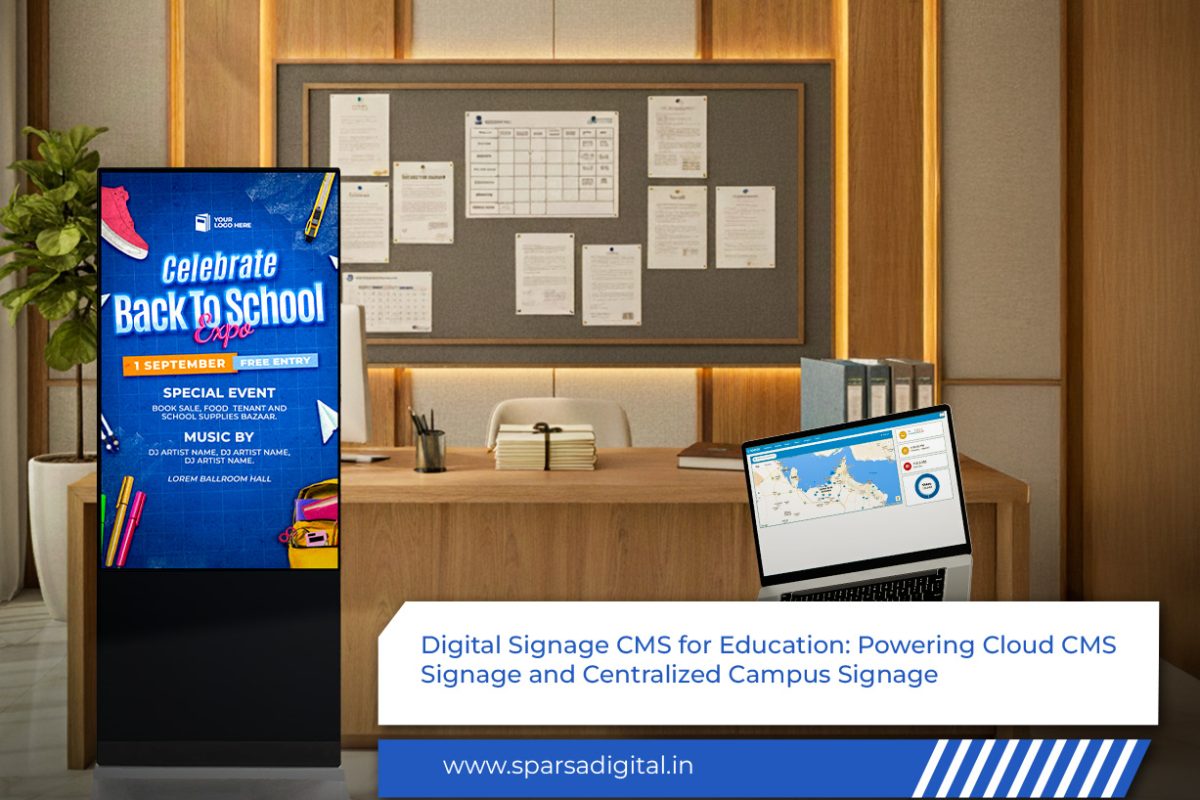
Digital-Signage-CMS-for-Education-Powering-Cloud-CMS-Signage-and-Centralized-Campus-Signage

Digital Signage CMS for Education: Powering Cloud CMS Signage and Centralized Campus Signage

Educational institutions today are more complex and connected than ever before. Schools, colleges, universities, and training centers are no longer just places for academic instruction, they are dynamic ecosystems where communication, safety, engagement, and learning intersect. In this evolving environment, traditional notice boards, printed circulars, and manual announcements are proving inadequate.

This is where digital signage CMS for education emerges as a transformative solution. When powered by cloud CMS signage, educational institutions gain the ability to manage content centrally, deliver real-time information, and create a truly centralized campus signage network that enhances communication and learning experiences across campuses.

In this blog, we explore how digital signage CMS works in education, the role of cloud-based content management systems, the importance of centralized campus signage, key benefits, real-world applications, implementation strategies, challenges, and future trends along with detailed FAQs.

What Is Digital Signage CMS for Education?

A digital signage CMS for education is a content management system specifically designed to create, manage, schedule, and distribute digital content across multiple screens within educational environments. These screens may be located in classrooms, hallways, libraries, cafeterias, hostels, auditoriums, and outdoor campus areas.

Unlike generic CMS platforms, education-focused digital signage CMS solutions are built to support:

  • Academic schedules and timetables
  • Campus announcements and alerts
  • Learning content and educational media
  • Event promotions and student engagement content
  • Emergency and safety communication

The CMS acts as the control center for all digital displays, ensuring consistent, timely, and relevant information delivery.

Understanding Cloud CMS Signage in Education

Cloud CMS signage refers to a digital signage content management system hosted on the cloud rather than on local servers. This allows administrators and educators to manage content remotely from any device with internet access.

How Cloud CMS Signage Works

  1. Content is created or uploaded via a web-based dashboard
  2. Content is stored securely in the cloud
  3. Administrators assign content to specific screens or screen groups
  4. Updates are pushed instantly across the network
  5. Screens display content in real time or as scheduled

For educational institutions with multiple buildings or campuses, cloud CMS signage is a game-changer.

Why Education Needs Centralized Campus Signage

Centralized campus signage means managing all digital screens across an institution from a single platform. Whether it’s one school or a university with multiple campuses, centralized control ensures uniform communication and operational efficiency.

The Communication Challenge in Education

Educational institutions deal with:

  • Frequent schedule changes
  • Last-minute announcements
  • Emergency alerts
  • Event promotions
  • Academic updates

Without centralized systems, communication becomes fragmented, slow, and inconsistent.

Centralized campus signage solves this by ensuring that the right message reaches the right audience at the right time.

Key Benefits of Digital Signage CMS for Education

1. Centralized Content Management

With a digital signage CMS for education, administrators can control hundreds of screens from a single dashboard. Content updates no longer require physical access to each display.

This is especially valuable for institutions with large or multi-location campuses.

2. Real-Time Communication

Cloud CMS signage enables instant updates. Whether it’s a class cancellation, weather alert, or exam notice, information can be displayed immediately across relevant screens.

Real-time communication improves responsiveness and trust.

3. Improved Student Engagement

Digital displays with dynamic visuals, videos, and interactive elements attract attention far more effectively than printed notices. Students are more likely to read and respond to digital messages.

4. Cost Savings Over Time

While the initial investment in digital signage infrastructure may seem high, institutions save significantly by reducing:

  • Printing costs
  • Paper waste
  • Manual labor for notice distribution

Centralized campus signage offers long-term operational efficiency.

5. Sustainability and Eco-Friendliness

Cloud-based digital signage reduces paper usage and waste, supporting green campus initiatives and sustainability goals.

Applications of Cloud CMS Signage in Educational Institutions

1. Classroom Communication

Digital signage CMS for education can be integrated into classrooms to display:

  • Daily lesson agendas
  • Visual learning aids
  • Assignment deadlines
  • Live announcements

This supports blended and smart classroom environments.

2. School and College Corridors

In hallways and common areas, centralized campus signage can show:

  • Timetables and room allocations
  • Faculty availability
  • Student achievements
  • Motivational content

These displays keep students informed without overcrowding notice boards.

3. Libraries and Learning Centers

Cloud CMS signage in libraries can be used for:

  • Digital catalogs and directions
  • Library rules and updates
  • Research tips and tutorials
  • Event notifications

This transforms libraries into interactive information hubs.

4. Auditoriums and Event Spaces

Digital signage CMS allows institutions to manage:

  • Event schedules
  • Guest speaker introductions
  • Seating information
  • Live announcements

All content can be updated instantly from a centralized system.

5. Campus Safety and Emergency Alerts

One of the most critical uses of centralized campus signage is emergency communication. Cloud CMS signage enables:

  • Instant campus-wide alerts
  • Evacuation instructions
  • Safety notifications

This ensures fast, consistent communication during critical situations.

6. Cafeterias and Hostels

In cafeterias, digital signage CMS for education can display:

  • Daily menus
  • Nutritional information
  • Timings and announcements

In hostels, screens can show notices, rules, and emergency contacts.

Role of Digital Signage CMS in Multi-Campus Institutions

Universities and large education groups often operate across multiple locations. Managing communication across these campuses is a major challenge.

With cloud CMS signage:

  • Content can be customized for each campus
  • Global announcements can be pushed to all locations
  • Local updates can be managed independently

This balance of centralized control and local flexibility is essential for large institutions.

Features to Look for in a Digital Signage CMS for Education

When choosing a solution, educational institutions should consider the following features:

1. Cloud-Based Access

A true cloud CMS signage platform allows remote access without complex infrastructure.

2. User Roles and Permissions

Different users- administrators, faculty, IT staff should have controlled access levels.

3. Scheduling and Automation

Content should be scheduled by date, time, or event, reducing manual intervention.

4. Multi-Screen and Multi-Zone Support

Centralized campus signage requires grouping and zoning screens for targeted communication.

5. Integration Capabilities

The CMS should integrate with learning management systems (LMS), calendars, and databases.

6. Analytics and Reporting

Challenges in Implementing Centralized Campus Signage

1. Resistance to Change

Staff and faculty may be hesitant to adopt new technology.

Solution: Training sessions and clear demonstrations of benefits.

2. Content Overload

Too much information on screens can reduce effectiveness.

Solution: Clear content guidelines and structured templates.

3. Network and Connectivity Issues

Cloud CMS signage depends on stable internet connectivity.

Solution: Reliable infrastructure and offline fallback options.

Best Practices for Using Cloud CMS Signage in Education

  • Keep content concise and visually clear
  • Rotate messages to avoid screen fatigue
  • Use consistent branding and color schemes
  • Schedule academic and non-academic content strategically
  • Review and update content regularly

The Future of Digital Signage CMS for Education

The future of digital signage CMS for education is driven by innovation and intelligence.

  • AI-powered content recommendations
  • Personalized signage for students and staff
  • Integration with mobile apps and QR codes
  • Data-driven decision-making through analytics
  • Smart campuses with IoT-enabled signage

Cloud CMS signage will become an integral part of digital-first education ecosystems.

Why Centralized Campus Signage Is a Strategic Investment

Centralized campus signage is not just a communication tool- it is a strategic asset that enhances:

  • Institutional efficiency
  • Student experience
  • Campus safety
  • Brand image

Educational institutions that invest in modern signage infrastructure position themselves as forward-thinking and student-centric.

Conclusion

A robust digital signage CMS for education, powered by cloud CMS signage, is essential for building efficient, connected, and responsive educational environments. By adopting centralized campus signage, institutions can streamline communication, enhance learning experiences, and future-proof their campuses.

As education continues to evolve, cloud-based digital signage will play a critical role in shaping smart, informed, and engaged academic communities.

FAQs: Digital Signage CMS for Education

1. What is a digital signage CMS for education?

It is a content management system designed to manage and distribute digital content across educational institution displays.

2. How does cloud CMS signage benefit schools and colleges?

It allows remote content management, real-time updates, scalability, and reduced IT infrastructure costs.

3. What is centralized campus signage?

Centralized campus signage refers to managing all digital displays across a campus or multiple campuses from one platform.

4. Is cloud CMS signage secure for educational data?

Yes, most platforms offer encryption, secure access, and user permission controls.

5. Can digital signage CMS integrate with LMS systems?

Many education-focused CMS platforms support integration with learning management systems.

6. Is digital signage suitable for small schools?

Yes, cloud CMS signage is scalable and works for institutions of all sizes.

7. How often can content be updated?

Content can be updated instantly or scheduled as needed.

8. Does centralized campus signage require constant internet?

The Internet is required for updates, but some systems support offline playback.

9. What types of screens can be managed?

The CMS can manage indoor displays, outdoor LED screens, interactive panels, and video walls.

10. Why should educational institutions invest in digital signage CMS?

It improves communication, reduces operational costs, enhances learning environments, and supports smart campus initiatives.

How Customizable Digital Signage CMS with Remote Updates is Revolutionising Business Displays

How Customizable Digital Signage CMS with Remote Updates is Revolutionising Business Displays

In a fast-moving, visually-driven business landscape, communication must be instant, targeted, and impactful. From retail stores and corporate offices to restaurants and transportation hubs, digital displays have become essential tools for delivering real-time information and captivating visual content. However, managing these displays across multiple locations or rapidly updating messages in response to changing conditions used to be a logistical nightmare.

That’s where the combination of a customized digital signage CMS and digital signage remote content update capability has transformed the game. Businesses can now control their screens from anywhere, schedule campaigns, and tailor displays to specific audiences without ever being on-site.

In this blog, we’ll explore how this powerful combination is revolutionising business displays, the benefits for various industries, the technology that makes it possible, and the future of remote-enabled signage.

1. The Evolution of Business Displays

Business displays have come a long way from static posters and printed boards. Early digital screens required manual content loading, often via USB drives, and offered little flexibility. The process was time-consuming, error-prone, and limited to what could be physically delivered to the screen.

The arrival of digital signage remote content update technology changed this forever. Suddenly, a marketing team in one city could control and refresh dozens, even hundreds, of screens around the country in real-time. Combined with the ability to customize digital signage CMS features for each industry’s unique needs, this advancement turned static displays into dynamic, strategic communication tools.

2. What is a Digital Signage CMS?

A Content Management System (CMS) for digital signage is a software platform that allows businesses to create, organize, schedule, and distribute content to their display screens. A customized digital signage CMS offers flexibility to adapt the interface, content formats, and scheduling capabilities to specific business goals.

Key functions of a modern CMS include:

  • Centralized content control for multiple locations.

  • Scheduling content by time, date, or location.

  • Integration with live data sources (weather, social feeds, inventory).

  • User permissions for different team members.

  • Templates for fast content creation.

When paired with digital signage remote content update capabilities, a CMS becomes a powerful central hub for all visual communications.

3. How Remote Content Updates Work

A digital signage remote content update system uses an internet connection to push new media files, schedules, or settings to displays in real-time. This typically involves:

  1. Uploading content to the CMS platform.

  2. Selecting target screens or groups for the update.

  3. Scheduling immediate or timed deployment.

  4. Syncing updates via secure cloud or network connections.

This means a retail chain can change its promotions across all stores in minutes, or a transport operator can update arrival boards instantly when schedules shift.

4. Why Businesses are Choosing Customizable CMS with Remote Updates

The synergy between customized digital signage CMS and digital signage remote content update delivers several game-changing advantages:

4.1 Instant Messaging

Emergencies, flash sales, or breaking news can be displayed in seconds, ensuring your audience always sees timely, relevant information.

4.2 Location-Specific Content

You can customize digital signage CMS rules to deliver unique content to different stores, offices, or regions, all from the same dashboard.

4.3 Reduced Operational Costs

Remote updates eliminate the need for on-site staff to manage screens, cutting travel time and expenses.

4.4 Brand Consistency

Ensures all displays use the same brand templates, colors, and tone, regardless of location.

5. Key Features to Look for in a Customizable CMS

If you’re considering investing in a customized digital signage CMS with digital signage remote content update, look for these must-have features:

  • Drag-and-drop content creation tools for ease of use.

  • Multi-user support with role-based permissions.

  • Automated scheduling for seasonal or time-sensitive campaigns.

  • Cloud-based storage for media assets.

  • Real-time monitoring of display health and playback status.

  • Integration APIs for POS systems, CRMs, and live feeds.

6. Industry Applications

6.1 Retail

Retailers use digital signage remote content update to change pricing, promote limited-time offers, and tailor product displays to local demographics.

6.2 Hospitality

Hotels and restaurants customize digital signage CMS to update menus, event schedules, and welcome messages for guests, often across multiple properties.

6.3 Transportation

Airports, train stations, and bus terminals depend on instant digital signage remote content update to relay real-time schedules, gate changes, and emergency alerts.

6.4 Corporate

Large offices use customized digital signage CMS tools to share internal communications, KPIs, and meeting room bookings across campuses.

7. Benefits of Remote-Enabled, Customizable Signage

  1. Scalability – Easily expand to new locations without complex setup.

  2. Speed – Launch nationwide campaigns in seconds.

  3. Accuracy – Reduce human errors in manual updates.

  4. Engagement – Use targeted, dynamic visuals to capture attention.

  5. Analytics – Track content performance and audience engagement.

8. The Technology Behind It

A digital signage remote content update system typically relies on:

  • Cloud-based servers for global accessibility.

  • Encrypted data transfer for security.

  • Smart media players connected to each display.

  • Responsive CMS interfaces accessible from desktop or mobile.

With a customized digital signage CMS, these technologies can be adapted for your specific workflows, branding, and integration needs.

9. Common Mistakes to Avoid

  • Overloading screens with too much information.

  • Neglecting to customize digital signage CMS templates for readability.

  • Failing to schedule digital signage remote content update checks to ensure delivery.

  • Using low-resolution assets on high-definition displays.

The next generation of customized digital signage CMS platforms will incorporate:

  • AI-driven personalization of content.

  • Voice-controlled updates for hands-free operation.

  • Integration with IoT devices for contextual messaging.

  • 5G connectivity for faster remote updates.

Conclusion

The combination of a customized digital signage CMS and digital signage remote content update capabilities is transforming how businesses communicate. No longer constrained by location or slow manual processes, organizations can deliver targeted, dynamic, and consistent messages to audiences anywhere, anytime.

From boosting sales in retail to improving passenger experiences in transport hubs, this technology is proving to be one of the most valuable tools in modern business communication. As customization and remote capabilities evolve, their impact will only deepen, making them essential for any forward-thinking organization.

FAQs

Q1: Can I control multiple locations with one CMS?
 A: Yes, a customised digital signage CMS allows centralized control of all screens from a single platform.

Q2: How fast can I update my displays remotely?
 A: With a digital signage remote content update, changes can be live in seconds, depending on internet speed.

Q3: Is cloud storage necessary for remote updates?
 A: While not mandatory, cloud storage offers better scalability and accessibility for content management.

Q4: Can I schedule updates in advance?
 A: Absolutely,  most CMS platforms allow you to set schedules for days, weeks, or months ahead.

Q5: What industries benefit most from this technology?
 A: Retail, hospitality, transportation, education, and corporate sectors all see major benefits.

Digital Standees and CMS for Signage Transforming the Way We Communicate

Leveraging Digital Standees and CMS for Signage: Transforming the Way We Communicate

In today’s fast-paced world, the way businesses communicate with their customers has undergone a dramatic transformation. Traditional forms of signage are gradually being replaced by modern digital solutions, allowing businesses to communicate more effectively and efficiently. Among these solutions, digital standees and Content Management Systems (CMS) for signage have become increasingly popular. These technological innovations have not only enhanced the visual appeal of advertisements but also provided businesses with greater flexibility, real-time updates, and improved audience engagement.

In this blog post, we will explore how digital standees and CMS for signage are revolutionizing the signage industry. We will also look at case studies of companies that have successfully integrated these technologies into their operations.

What Are Digital Standees?

Digital standees are large digital displays used for advertising, information dissemination, and engagement. Unlike traditional static signage, digital standees can display dynamic content such as videos, animations, and live feeds. These displays are often used in high-traffic areas such as malls, airports, corporate offices, and retail outlets.

The key advantages of digital standees include:

  1. Dynamic Content: Digital standees can easily update content in real-time, displaying video, promotions, and interactive media that capture the audience’s attention.
  2. Versatility: These digital displays can be used for various purposes, including advertising, public service announcements, directions, and customer engagement.
  3. Cost-Effectiveness: While the initial setup costs may be higher than traditional signage, digital standees eliminate the need for frequent printing and manual updates, reducing long-term maintenance costs.
  4. Enhanced Customer Experience: With the ability to display tailored and interactive content, digital standees can significantly enhance the overall customer experience by providing engaging and personalized communication.

The Role of CMS for Signage

A Content Management System (CMS) for signage is a software solution that allows businesses to manage and schedule content on digital displays remotely. This system provides a central dashboard where users can upload, schedule, and monitor content across multiple digital standees or other digital signage devices.

Key benefits of using CMS for signage include:

  1. Centralized Control: A CMS gives businesses the ability to control and update content across all their digital signage displays from one central location, ensuring consistency and saving time.
  2. Real-Time Content Updates: With a CMS, businesses can make real-time changes to content, ensuring that the information displayed is always up-to-date and relevant.
  3. Remote Management: Content can be updated remotely, allowing for quick modifications or emergency messaging without needing to send a technician to the physical location.
  4. Analytics and Reporting: Advanced CMS platforms offer analytics features that track the performance of the content displayed. Businesses can gather insights into customer engagement, optimize content, and improve future campaigns.
  5. Custom Scheduling: The CMS enables businesses to schedule content to be displayed at specific times, ensuring that promotions or messages are shown at optimal moments.

Case Studies: Real-World Examples of Digital Standees and CMS for Signage

Let’s take a look at some successful case studies where companies have effectively implemented digital standees and CMS for signage.

1. Retail Store Digital Advertising – Zara

Zara, a leading global fashion retailer, implemented digital signage in their stores worldwide. Their stores now feature digital standees that display dynamic content such as seasonal promotions, new collections, and fashion trends. With the help of a CMS, Zara manages content across hundreds of stores, ensuring that every location is displaying the right content at the right time.

Using the CMS platform, Zara can schedule promotions based on local market trends and customer behavior. The ability to update content in real-time allows them to launch flash sales, new arrivals, or any emergency messaging across all stores without delay. Additionally, the CMS provides valuable data analytics, allowing Zara to monitor the effectiveness of their campaigns and make data-driven decisions to improve customer engagement.

2. Airport Wayfinding – London Heathrow Airport

London Heathrow Airport implemented a network of digital standees and signage to help passengers navigate the busy terminals. The digital standees display real-time flight information, gate changes, security updates, and other important announcements. The airport uses a CMS to manage this content remotely, ensuring that passengers are always informed.

During high-traffic periods, such as holiday seasons, the airport can quickly update digital standees with relevant information like security wait times, baggage claim updates, and emergency instructions. The system also allows the airport to adjust messaging in real-time in response to unexpected events, such as flight delays or cancellations, providing a more efficient and smoother experience for travelers.

3. Corporate Office Communication – Microsoft

Microsoft’s corporate headquarters in Redmond, Washington, uses digital standees to enhance internal communication. In their open office spaces, digital signage displays information such as announcements, upcoming events, team highlights, and live social media feeds. The content is managed through a CMS, ensuring that relevant messages reach employees promptly.

For example, the HR department can use the CMS to schedule wellness tips, employee recognition posts, or updates about office events. The ability to update content remotely and on the fly ensures that employees are always kept in the loop, improving engagement and morale within the company.

4. Museum Experience – The British Museum

The British Museum in London has adopted digital standees to enrich the visitor experience. These standees are placed throughout the museum, offering interactive content about exhibits, historical facts, and multimedia presentations. The museum uses CMS to manage the content displayed on these screens, ensuring that visitors receive a rich, engaging experience that complements their visit.

The CMS platform allows the museum to tailor content based on the current exhibition or special events. They can also update the digital standees with real-time information, such as exhibit changes, guided tour availability, or even visitor feedback. This dynamic approach helps keep the museum experience fresh and engaging for visitors of all ages.

Conclusion

Digital standees and CMS for signage are transforming the way businesses interact with their audiences. These technologies not only provide businesses with the ability to display dynamic content but also offer an efficient and scalable solution for content management and real-time updates. From retail stores to airports, corporate offices, and museums, the applications for digital signage are vast and varied.

By adopting digital standees and CMS, companies can improve customer engagement, optimize communication strategies, and enhance their brand presence. As more businesses embrace these innovations, we can expect digital signage to become an even more integral part of our daily lives, shaping the way we receive and interact with information.

Digital-Notice-Boards-and-Content-Management-Systems

Here’s How You Can Revolutionize Communication with Digital Notice Boards and Content Management Systems

In today’s fast-paced world, where information needs to be communicated efficiently and effectively, traditional methods of displaying notices and announcements are increasingly becoming outdated. Paper-based notice boards, flyers, and printed posters are not only environmentally unsustainable but also prone to becoming outdated quickly and are hard to update. Enter the world of digital notice boards and content management systems (CMS)—innovative technologies that have transformed how organizations communicate with their audiences, both internally and externally.

Whether for schools, offices, hospitals, retail outlets, or public spaces, digital notice boards have become a crucial part of modern communication. Paired with a robust content management system, these tools allow organizations to streamline the display of information, offering flexibility, real-time updates, and a much more engaging way to interact with an audience.

What is a Digital Notice Board?

A digital notice board is an electronic display system that allows organizations to post announcements, important messages, schedules, and other content in a digital format. These boards are typically large LED or LCD screens that display dynamic content such as text, images, videos, and animations, replacing the traditional bulletin boards used for notices in offices, schools, and public areas.

Digital notice boards are designed to capture attention more effectively than static paper-based notices. They can display content in various forms, including real-time news, weather updates, event schedules, emergency alerts, and promotional materials, providing a much more engaging user experience. The key advantage is the ability to update and modify the displayed content remotely, instantly, and as needed, ensuring that the information remains accurate and timely.

Product Banner (1)

The Role of a Content Management System (CMS) in Digital Notice Boards

A content management system (CMS) is a software platform that controls and organises the content displayed on digital notice boards. This system allows users to create, manage, and schedule content across one or more screens from a centralised location. The CMS provides an intuitive interface for users to upload, edit, and organize content, ensuring that the correct information is displayed at the right time and in the right format.

Benefits of Digital Notice Boards and CMS Integration

The combination of digital notice boards and a powerful content management system offers several key advantages for organizations looking to modernize their communication efforts. Here are some of the primary benefits:

1. Improved Communication and Engagement

Digital notice boards are far more engaging than traditional printed boards. With the ability to include rich media content such as images, videos, and animations, digital notice boards can capture attention more effectively and communicate messages in a way that resonates with the audience. Furthermore, with real-time updates, important announcements or emergency alerts can be disseminated instantly, ensuring that no one misses crucial information.

2. Cost and Time Efficiency

Maintaining traditional paper-based notice boards is not only costly but also time-consuming. Printing and distributing paper notices, especially when changes need to be made, can require a lot of effort and resources. In contrast, digital notice boards, powered by CMS platforms, significantly reduce the need for physical materials and the time spent managing them. Content can be updated remotely in just a few clicks, and the need for staff to manually replace or adjust notices is eliminated.

3. Environmental Sustainability

Digital notice boards help reduce paper waste, which is an important step toward creating a more sustainable workplace or community. By moving from paper-based notices to digital screens, organizations contribute to lowering their carbon footprint and promoting environmentally friendly practices.

4. Increased Flexibility and Control

One of the most significant advantages of using a CMS for managing digital notice boards is the increased flexibility it offers. Content can changed on the fly, allowing organizations to react to changing circumstances or urgent announcements with ease. For example, in a school setting, the CMS can used to switch between class schedules, emergency alerts, and event information, depending on the time of day.

5. Improved Brand Image and Aesthetics

With digital notice boards, organizations can present a more modern, polished, and professional image. High-quality displays can customized to reflect the brand’s color scheme and design, and the flexibility of content types ensures that messages are visually engaging. This makes digital notice boards an ideal tool for businesses, educational institutions, and public spaces that want to leave a lasting impression.

6. Enhanced Security and Access Control

The integration of a CMS allows organizations to assign different levels of access to their digital notice boards, ensuring that only authorized personnel can update or modify content. This helps safeguard sensitive information and prevent unauthorized access or tampering.

7. Scalability for Multiple Locations

For businesses or organizations that operate in multiple locations, digital notice boards managed through a CMS provide scalability. A centralized CMS allows administrators to control the content on screens across multiple branches or offices from a single interface, ensuring consistent messaging across all locations.

Use Cases of Digital Notice Boards and CMS

The applications of digital notice boards and content management systems are vast and can adapted to various industries:

  • Educational Institutions: In schools and universities, digital notice boards can used to display class schedules, announcements, event updates, and emergency alerts. The CMS allows for easy scheduling and updating of content across different campus locations.
  • Corporate Offices: Businesses use digital notice boards for internal communications, such as employee announcements, meeting schedules, or company-wide updates. The ability to update content in real-time and the flexibility to display multimedia content enhances employee engagement and communication.
  • Healthcare Facilities: Hospitals and clinics use digital notice boards to share important information with patients, visitors, and staff. These might include wait times, health tips, facility guidelines, and emergency information.
  • Retail Stores: Digital notice boards in retail spaces can used to display promotional offers, store events, product information, or wayfinding directions. The CMS ensures that promotions can quickly updated to match the current marketing campaign.

Conclusion

Digital notice boards, when paired with an efficient content management system, offer a modern solution to communication challenges faced by organizations. Whether for schools, offices, hospitals, or public spaces, digital notice boards bring efficiency, flexibility, and engagement to the forefront of communication strategies.

By replacing traditional paper-based methods with digital signage, organizations not only streamline communication but also contribute to a more sustainable, dynamic, and visually appealing environment. A well-integrated CMS ensures that content is always up-to-date, accurately targeted, and easily accessible, making it an invaluable tool in today’s digital-first world.

As organizations continue to embrace digital transformation, the role of digital notice boards and content management systems will only grow, offering endless possibilities for better engagement, communication, and efficiency.

Unlocking the Power of CMS and Digital Signage Software for Effective Communication

Unlocking the Power of CMS and Digital Signage Software for Effective Communication

In today’s fast-paced digital world, staying ahead in the game means embracing technology that enables seamless and dynamic communication. Two critical tools in this realm are Content Management Systems (CMS) and digital signage software. Both play pivotal roles in delivering engaging content and managing digital displays effectively. This blog explores how leveraging CMS and digital signage software can transform your communication strategy, streamline operations, and enhance audience engagement.

The Synergy Between CMS and Digital Signage Software

Integrating CMS with digital signage software can significantly enhance your communication strategy. Here’s how:

  1. Streamlined Content Management
    A CMS provides a centralized platform for managing all your digital content, including text, images, and videos. When integrated with digital signage software, this centralization extends to your digital displays. Instead of managing content separately for your website and digital signage, you can use your CMS to push updates directly to your screens. This integration ensures consistency across all channels and saves time by eliminating the need for duplicate content management efforts.
  2. Efficient Content Scheduling and Automation
    Digital signage software offers robust scheduling capabilities, allowing you to automate content updates on your screens. When paired with a CMS, you can schedule content in advance and manage it from a single interface. For example, if you’re running a promotional campaign, you can prepare all the content in your CMS, set the schedule in your digital signage software, and let the system automatically update your displays at the designated times. This efficiency is especially valuable for businesses with multiple locations or those that require frequent content changes.
  3. Enhanced Audience Engagement
    Combining CMS and digital signage software enables more interactive and engaging experiences for your audience. You can create compelling content in your CMS and push it to your digital displays, including interactive elements like polls, quizzes, and real-time social media feeds. This integration helps create a cohesive experience across your digital platforms, fostering higher engagement and interaction with your audience.
  4. Real-Time Updates and Flexibility
    The ability to make real-time updates is a significant advantage of digital signage software. When integrated with a CMS, you can quickly update content across all digital displays from a single platform. This capability is particularly useful for time-sensitive information such as news updates, emergency notifications, or live event coverage. With real-time updates, you ensure that your audience always receives the most current and relevant information.
  5. Data-Driven Insights and Analytics
    Both CMS and digital signage software can provide valuable insights into content performance and audience engagement. By analyzing data from your digital signage software, you can track metrics such as viewer interaction, dwell time, and content effectiveness. When combined with analytics from your CMS, you gain a comprehensive understanding of how your content performs across different channels. This data-driven approach allows you to refine your content strategy and make informed decisions based on real-world performance.

Best Practices for Integrating CMS with Digital Signage Software

  1. Choose Compatible Platforms
    When integrating CMS with digital signage software, ensure that the platforms you select are compatible and can seamlessly work together. Many modern CMS and digital signage solutions offer built-in integration capabilities or API support. Choosing compatible platforms will facilitate smoother data exchange and synchronization between your content management and digital display systems.
  2. Maintain Content Consistency
    Consistency is key to effective communication. Ensure that the content you create in your CMS is consistent with what’s displayed on your digital signage. This consistency helps reinforce your messaging and brand identity. Use templates and standardized formats in your CMS to maintain uniformity across different channels and digital displays.
  3. Leverage Automated Workflows
    Take advantage of automated workflows offered by digital signage software to streamline content updates. Set up automated processes for content publishing, scheduling, and rotation. This automation reduces manual effort and ensures that your content is always up-to-date without requiring constant intervention.
  4. Regularly Monitor and Update Content
    Even with automated updates, it’s important to regularly monitor and refresh your content. Outdated or irrelevant content can detract from the effectiveness of your digital signage. Regularly review your content in both your CMS and digital signage software to ensure it remains engaging and aligned with your current messaging and objectives.
  5. Train Your Team
    Proper training is essential for maximizing the benefits of CMS and digital signage software. Ensure that your team is well-versed in using both platforms and understands how to manage and update content efficiently. Training will help avoid common pitfalls and ensure that your digital communication strategy runs smoothly.

Conclusion

The integration of Content Management Systems (CMS) and digital signage software represents a powerful combination for modern communication strategies. By leveraging the strengths of both tools, businesses can streamline content management, enhance audience engagement, and make real-time updates with ease. Whether you’re looking to manage digital displays in retail environments, corporate lobbies, or public spaces, the synergy between CMS and digital signage software offers a versatile and effective solution.

Embrace these technologies to transform your communication approach, deliver compelling content, and stay ahead in a digitally driven world. With the right integration and best practices, you can unlock the full potential of CMS and digital signage software, driving more meaningful interactions and achieving your business objectives with greater efficiency.

The Power of CMS for Digital Signage and Billboard Software Revolutionizing the Advertising Landscape

The Power of CMS for Digital Signage and Billboard Software: Revolutionizing the Advertising Landscape

In the modern advertising world, the landscape has evolved dramatically from traditional static billboards and printed posters to dynamic and interactive digital displays. Central to this evolution are Content Management Systems (CMS) for digital signage and advanced billboard software, which have become essential tools for businesses aiming to engage audiences effectively. This blog explores how CMS for digital signage and billboard software are transforming the way content is managed, delivered, and displayed, ultimately redefining the advertising experience.

Understanding CMS for Digital Signage

A Content Management System (CMS) for digital signage is a platform that allows users to create, manage, and distribute content across digital displays. Whether it’s a single screen in a retail store or a network of billboards across a city, a CMS provides the tools needed to control what is displayed, when it’s displayed, and how it’s presented.

Key Features of CMS for Digital Signage

  1. Centralized Content Management: A CMS offers a centralized platform where users can manage content across multiple displays. This means that an organization can control the content on all its screens, whether they’re located in different parts of a store, different stores in a city, or even different cities around the world.
  2. Scheduling and Automation: One of the most powerful features of a CMS is the ability to schedule content in advance. Users can automate the display of specific content at particular times of day, on certain days of the week, or during specific seasons. This ensures that the content is always relevant to the audience.
  3. Content Customization: A CMS allows for easy customization of content to suit different audiences or locations. For example, a retail chain can display localized promotions on screens in different regions, or a company can tailor messages based on the demographics of the audience in each location.
  4. Real-Time Updates: The ability to update content in real-time is crucial for industries where information changes rapidly, such as retail, hospitality, or transportation. With a CMS, users can instantly change the content on their displays to reflect new promotions, announcements, or other important information.
  5. User-Friendly Interface: Most CMS platforms are designed with user-friendliness in mind, offering drag-and-drop functionality, templates, and other tools that make content creation and management accessible even for those without technical expertise.
  6. Analytics and Reporting: Advanced CMS platforms come equipped with analytics tools that allow users to track the performance of their content. Metrics such as engagement rates, impressions, and viewer demographics can help businesses refine their strategies and improve ROI.

Also Read: Active LED Displays and Private Ad Networks

Billboard Software: Expanding the Reach of Digital Advertising

Billboard software is a specialized form of digital signage CMS designed specifically for managing large-scale digital billboards. These systems offer similar features to traditional CMS platforms but are optimized for the unique challenges and opportunities associated with billboard advertising.

Key Features of Billboard Software

  1. High-Resolution Content Management: Digital billboards require content that is not only engaging but also high in resolution. Billboard software supports the creation and management of ultra-high-definition (UHD) content, ensuring that visuals are sharp and impactful even from a distance.
  2. Remote Control and Monitoring: Given the often remote and widely dispersed locations of billboards, the ability to control and monitor displays remotely is essential. Billboard software allows users to manage content from a central location, monitor the status of each display, and troubleshoot issues as they arise.
  3. Dynamic Content Display: Billboards can display content that changes dynamically based on real-time data. For instance, weather-triggered ads can change based on the local weather conditions, or traffic-based ads can be displayed during peak travel times.
  4. Compliance and Legal Considerations: Billboard software often includes tools to ensure that content complies with local regulations and advertising standards. This is particularly important in areas with strict rules about what can be displayed and when.
  5. Integration with Advertising Networks: Billboard software can be integrated with digital advertising networks, allowing for programmatic ad buying and automated content placement. This enables billboard owners to maximize their revenue by selling ad space to multiple advertisers.
  6. Proof of Play and Reporting: Advertisers demand proof that their content was displayed as agreed. Billboard software typically includes proof of play features, which log when and where content was displayed, along with detailed reports that can be shared with clients.

Conclusion

CMS for digital signage and billboard software are revolutionizing the advertising landscape by providing businesses with powerful tools to manage, display, and optimize their content. These technologies offer numerous benefits, from enhanced audience engagement to cost-effective advertising, making them indispensable for modern marketing strategies.

As technology continues to advance, the capabilities of these systems will only expand, offering even more opportunities for businesses to connect with their audiences in meaningful ways. Whether you’re managing a single screen or a network of billboards, investing in the right CMS and software is key to staying ahead in the competitive world of digital advertising.

Powering Dynamic Displays Choosing the Right CMS for Digital Signage and OOH Advertising

Powering Dynamic Displays: Choosing the Right CMS for Digital Signage and OOH Advertising

In the bustling world of digital marketing and outdoor advertising, the role of Content Management Systems (CMS) is paramount. With the rise of digital signage and Out-of-Home (OOH) advertising, businesses are constantly seeking efficient and effective ways to manage their content and captivate their audience. In this blog, we delve into the significance of CMS for digital signage and OOH advertising, and how choosing the right platform can elevate your marketing efforts to new heights.

 Understanding Digital Signage and OOH Advertising

Digital signage refers to the use of digital displays, such as LCD, LED, or projection screens, to showcase multimedia content in public spaces. It has become a ubiquitous presence in retail stores, airports, restaurants, and various other venues, offering dynamic and eye-catching ways to engage with audiences.

On the other hand, Out-of-Home advertising encompasses a broad spectrum of advertising strategies targeting consumers when they are outside of their homes. This includes billboards, transit ads, street furniture ads, and more. OOH advertising has evolved significantly in recent years, incorporating digital technologies to deliver more interactive and impactful campaigns.

 The Role of CMS in Digital Signage and OOH Advertising

A robust CMS serves as the backbone of any successful digital signage or OOH advertising campaign. It empowers marketers and advertisers to efficiently manage and deploy content across multiple screens and locations, ensuring consistency and relevance.

Content Creation and Management

A robust CMS for digital signage and OOH advertising should offer intuitive and feature-rich tools for content creation and management. This includes:

  • Template Design: Pre-designed templates make it easy for marketers to create visually appealing content without extensive design experience. These templates can be customized with brand assets, messaging, and dynamic elements to suit specific campaigns.
  • Scheduling: The ability to schedule content in advance is essential for ensuring timely and relevant messaging. Marketers can plan campaigns weeks or even months in advance, with the flexibility to adjust schedules based on changing priorities or external factors.
  • Dynamic Content: Dynamic content capabilities enable real-time updates and personalized messaging based on factors such as location, audience demographics, or environmental conditions. This allows advertisers to deliver more targeted and engaging experiences that resonate with viewers.

 Remote Management and Monitoring

Remote management and monitoring functionalities are critical for overseeing digital signage networks efficiently. Key features include:

  • Centralized Control: A centralized dashboard provides administrators with a comprehensive view of all connected displays, allowing them to manage content, schedule updates, and monitor performance from a single interface.
  • Remote Updates: Remote update capabilities enable administrators to push content changes to displays across multiple locations instantly. This eliminates the need for manual intervention and ensures that campaigns remain current and relevant.
  • Health Monitoring: Real-time monitoring of display health and performance metrics allows administrators to identify and address technical issues proactively. This minimizes downtime and ensures optimal uptime for advertising campaigns.

 Integration with Third-Party Systems

Integration with third-party systems enhances the functionality and effectiveness of a CMS for digital signage and OOH advertising. Key integrations include:

  • Data Sources: Integration with data sources such as CRM systems, social media platforms, and weather APIs enables advertisers to incorporate real-time data into their campaigns. This allows for dynamic content updates based on factors like inventory levels, social media mentions, or weather conditions.
  • Analytics Platforms: Integration with analytics platforms provides insights into campaign performance, audience engagement, and conversion metrics. By analyzing these data points, marketers can optimize their campaigns for maximum impact and ROI.
  • Content Management Systems: Integration with other content management systems streamlines workflows and content distribution processes. For example, marketers can repurpose existing digital assets or leverage content syndication partnerships to expand their reach and scale their campaigns more efficiently.

 Choosing the Right CMS

When selecting a CMS for digital signage and OOH advertising, there are several factors to consider:

Scalability: Ensure that the CMS can scale with your business needs, supporting a growing number of displays and locations without compromising performance.

Flexibility: Look for a CMS that offers flexibility in content creation and management, allowing you to easily customize and adapt your campaigns to changing requirements.

Reliability: Choose a CMS with a proven track record of reliability and uptime, minimizing the risk of disruptions to your advertising campaigns.

Support and Training: Consider the level of support and training offered by the CMS provider, as well as the availability of resources such as documentation, tutorials, and user communities.

Cost: Evaluate the total cost of ownership, including upfront fees, ongoing subscription costs, and any additional expenses such as hardware requirements or integrations.

By carefully assessing these factors and selecting the right CMS for your digital signage and OOH advertising needs, you can create engaging and impactful campaigns that resonate with your target audience and drive results.

Conclusion

In the fast-paced world of digital marketing and outdoor advertising, the role of CMS cannot be overstated. Whether you’re managing digital signage displays in retail stores or launching a city-wide OOH advertising campaign, choosing the right CMS is essential for success. By prioritizing scalability, flexibility, reliability, and support, you can empower your marketing efforts and deliver compelling experiences that captivate audiences and drive business growth.

Video Content Management System

Revolutionizing Marketing with Video Content Management Systems

Creating a captivating and immersive digital experience is crucial in today’s dynamic technological landscape. Video content management systems (CMS) and digital standees play pivotal roles in this arena, revolutionizing how information is disseminated and experiences are crafted. These innovative technologies have significantly impacted various industries, from retail to entertainment, education to corporate environments. In this blog, we’ll explore the essence, functionalities, advantages, and future prospects of video content management systems and digital standees.

In the digital age, where attention spans are dwindling and information overload is a common challenge, businesses and marketers are constantly seeking innovative ways to capture their audience’s attention and engage them effectively. Two key technologies that have emerged as game-changers in this endeavor are Video Content Management Systems (VCMS) and Digital Standees. These technologies empower businesses to create, manage, and distribute captivating video content while seamlessly integrating them into physical spaces. In this comprehensive blog post, we will explore the concepts, functionalities, benefits, and applications of VCMS and Digital Standees, shedding light on how they are transforming the marketing landscape.

Understanding Video Content Management Systems (CMS)

Introduction to Video CMS

Video CMS is a specialized software designed for the organization, storage, retrieval, and distribution of video content. It serves as a centralized hub for managing videos, offering tools for uploading, transcoding, tagging, categorizing, and sharing video files across various platforms. This system caters to diverse user needs, ranging from personal vlogs to enterprise-level video content.

Functionality and Features

  • Content Storage and Organization: Video CMS efficiently stores video content in a structured manner, enabling easy accessibility and organization through metadata, tags, and categories.
  • Adaptive Streaming and Transcoding: It supports multiple formats and resolutions, optimizing videos for different devices and internet speeds through adaptive streaming and transcoding.
  • Customization and Branding: Video CMS often provides tools to personalize video players, add watermarks, and incorporate branding elements.
  • Analytics and Insights: Detailed analytics offer valuable metrics like views, engagement, and viewer behavior, aiding in content optimization and performance assessment.
  • Security and Access Control: These systems offer various security features, such as access controls, encryption, and DRM (Digital Rights Management), ensuring content protection.

Applications Across Industries

  • Entertainment and Media: Video CMS powers streaming services, facilitating content delivery and providing a seamless viewing experience.
  • Education: It enhances learning experiences by enabling educational institutions to host and manage instructional videos, lectures, and tutorials.
  • Corporate Communication: Video CMS fosters internal and external communication by hosting training videos, corporate announcements, and marketing content.
  • E-commerce: Many e-commerce platforms utilize video CMS to showcase product videos, enhancing the customer’s shopping experience.

Digital Standees: Redefining Interactive Displays

What are Digital Standees?

Digital standees are interactive digital displays typically used in public spaces like malls, airports, retail stores, and exhibitions. They replace traditional static signage with dynamic, high-definition screens, offering engaging and customizable content.

Features and Functionality

  1. Interactive Interfaces: Touchscreens or motion sensors enable user interaction, allowing for immersive experiences.
  2. Content Diversity: Digital standees display a wide array of content, from videos and images to live streams and interactive applications.
  3. Customization and Targeting: They allow targeted content delivery, adapting messages based on audience demographics or behaviors.
  4. Data Collection and Analytics: Digital standees can collect user data, providing insights into audience preferences and behaviors.

Applications and Impact

  • Retail and Advertising: They serve as powerful marketing tools, attracting customers with interactive product showcases and promotional content.
  • Hospitality: Digital standees in hotels and restaurants offer information on services, menus, and local attractions, enhancing guest experiences.
  • Information and Wayfinding: In public spaces, these displays assist in providing directions, event schedules, and other relevant information.
  • Entertainment and Exhibitions: They engage attendees at events, providing interactive experiences and information dissemination.

The Future of Video CMS and Digital Standees

The rapid evolution of technology promises exciting advancements for video CMS and digital standees.

  1. AI Integration: AI will play a more significant role in content recommendation, personalization, and even content creation.
  2. Augmented Reality (AR) and Virtual Reality (VR): Integration of AR and VR will offer more immersive experiences through digital standees.
  3. IoT Integration: Interaction with IoT devices will enable even more personalized and context-aware content delivery.

Conclusion

Video CMS and digital standees have transformed the way content is managed and displayed, offering dynamic, engaging, and immersive experiences across various industries. As technology continues to evolve, these tools will undoubtedly play a vital role in shaping the future of digital experiences, pushing the boundaries of interaction and engagement.

In this comprehensive blog post, we’ve explored the exciting world of Video Content Management Systems (VCMS) and Digital Standees, shedding light on how they are redefining marketing in the digital age. From their features and benefits to their real-world applications and the synergy they create when used together, VCMS and Digital Standees offer a fresh and powerful approach to capturing and retaining audience attention.

Still looking forward to a way to get started? We are here to help. Get in touch with our experts at Sparsa Digital today, and dive into the world of endless opportunities. Our team ensures providing tailored solutions as per each business’ needs and requirements. Being the leading provider in the space of digital signage, we, at Sparsa Digital, have helped a great deal of businesses to make it through the industry. Connect with us today and allow our expert panel to make the most out of the latest technologies.

Digital Signage CMS

And This is Why Digital Signage CMS Plays a Crucial Part in any Business

A content management system (CMS) is an essential tool for managing digital signage content. Digital signage is the use of digital displays to deliver information or advertising messages to a target audience. A digital signage CMS allows users to create, manage, and publish content. This ensures that the right message reaches the right audience at the right time.

There are many options available for CMS for digital signage, each with its features and benefits. In this blog, we’ll take a closer look at some key considerations when choosing a CMS for digital signage:

Ease of use

When selecting a CMS for digital signage, it’s essential to choose a solution that’s easy to use. The CMS should allow users to create and edit content without requiring a lot of technical knowledge. The interface should be intuitive and user-friendly, with clear navigation and easy-to-understand options.

Customization

A good CMS for digital signage should provide users with the ability to customize their content easily. This could include changing colors, fonts, and layouts, or adding and removing elements from the display. The more flexible the CMS, the more creative users can be in designing their content.

Compatibility

Compatibility is another important consideration when choosing a CMS for digital signage. The CMS should be compatible with a range of hardware and software solutions, including media players, displays, and operating systems. This ensures that users can deploy their digital signage content across a wide range of devices.

Content scheduling

One of the main advantages of digital signage CMS is the ability to schedule content to display at specific times. A good CMS should include scheduling features that allow users to set up specific content to display at specific times or on specific days. This feature is particularly useful for businesses that want to promote time-sensitive information or special offers.

Analytics and Reporting

A good CMS for digital signage includes analytics and reporting features that allow users to track the performance of their content. This could include metrics like impressions, engagement rates, and click-through rates. This data can be used to optimize content and improve the effectiveness of digital signage campaigns.

Security

Security is also an important consideration when choosing a CMS for digital signage. The CMS should include security features like user authentication and access control to prevent unauthorized access to the system. It should also provide data encryption and backup options to protect against data loss or theft.

Hence, a CMS is a vital tool for managing digital signage content. When choosing a CMS for digital signage, it’s essential to consider factors like ease of use, customization, compatibility, content scheduling, analytics, and security. By choosing the right CMS, users can create and manage compelling digital signage content that engages their target audience and drives business results.

There are several reasons why one should prefer digital signage CMS (Content Management System):

Easy content management:

With a digital signage CMS, managing content is much easier compared to methods like printing and distributing posters or flyers. The CMS allows you to create, schedule, and publish content quickly and efficiently, saving time and reducing costs.

Real-time updates:

A digital signage CMS allows you to update content in real time. This means you can quickly respond to changing circumstances or events. For example, if there’s a sudden change in weather or traffic, you can update your content to reflect the new information.

Improved audience engagement:

Digital signage is a dynamic and eye-catching way to display information. A CMS allows you to create engaging content that captures the attention of your audience, keeping them informed and entertained.

Targeted messaging:

A digital signage CMS allows you to display targeted messaging to specific audiences or locations. For example, you can display different content in different areas of a store or facility. This helps target specific groups of customers or employees.

Data analytics:

With a digital signage CMS, you can collect data on how your content is performing. This data can help you to optimize your content and improve the effectiveness of your digital signage campaigns.

Cost-effective:

CMS for Digital signage can be more cost-effective compared to traditional advertising methods. With digital signage, you don’t have to worry about printing costs, distribution costs, or the cost of replacing outdated or irrelevant content.

In summary, a digital signage CMS provides a range of benefits, including easy content management, and real-time updates. It also helps in improved audience engagement, targeted messaging, data analytics, and cost-effectiveness. By using a CMS for digital signage, you can create compelling digital signage content that engages your target audience and drives business results. Still waiting? Connect with our experts at Sparsa Digital today and get started with tailor-made solutions for your business.

Content Management System for digital signage

More on Content Management System for Digital Signage

A content management system for digital signage is a software platform that allows users to create, manage, and schedule content for display on digital signs. Digital signage refers to the use of digital displays, such as LCD screens or LED panels, to convey information, advertising, or other types of content in public or private spaces.

CMS is any product application that permits clients to make, alter, and distribute content on a computerized stage.

A wide range of content that you see on a computerized medium is handled with the assistance of PC codes. So how does a client who has no information on coding distribute their substance? That is where the substance of the board framework becomes an integral factor.

In this blog, you will find solutions to:

What is a digital signage CMS?
Why need a CMS for television?
What are the kinds of CMS?
What are the best elements to search for?

In a lot more extensive sense, ‘content administration framework’ is an umbrella term that incorporates a wide range of utilizations.

What is a Content management system for digital signage?

On the off chance that you are out, at an air terminal, inside a shop, or even in your office. You might have gone over essentially twelve screens playing some visuals — ads and advancements, declarations, live news, and so forth. These screens are known as advanced signage. Advanced signage is routinely used in each industry for data spread, enormous scope amusement, inner correspondence and substantially more.

A computerized signage arrangement has two essential parts:

The computerized sign programming

For advanced signage, the product is the substance of the executive’s framework. To sum up, a Content management system for digital signage can be characterized as a programming application. It lets you distribute content like pictures, texts, and recordings from any server to an advanced presentation or gathering of showcases. It additionally permits you to make and alter your substance and timetable it.

Here are some high priority includes that clients ought to search for:

Make, alter, and distribute content

There is one essential capability of any happy administration framework for advanced signage. It oughts to permit the clients to draw out their items on the screen. Your dashboard for the content management system for digital signage will have a choice to ‘Transfer’ records. Like pictures, recordings, and so on, either from the neighbourhood stockpiling of your PC or from online distributed storage. This is the exceptionally least your CMS ought to permit you to do.

Contingent upon the product specialist organization that you pick, your content management system for digital signage can have extra highlights.

Applications to configuration content:

Do-It-Yourself plan apparatuses are currently in gigantic interest. Individuals need to be in more control of what they show on their screens. The absolute best-advanced signage programming gives in-assembled plan applications that let clients make various kinds of content for computerized signage.

Make Pieces and Playlists:

At the point when your screens intend to take care of business. Your content management system for digital signage should allow you to utilize the screen space. That implies you ought to have the option to play numerous media while inside various zones of a similar screen.

Utilizing a computerized signage CMS, clients can likewise direct the succession in which the items will play.

Play continuous and computerized content

A high-level substance of the board framework for computerized signage will permit you to communicate real-time content. For example, news, climate, sports, RSS channels, virtual gatherings, and so on. The content management system for digital signage will normally contain a committed application store with a scope of live-streaming applications.

For instance, assuming your CMS has the BBC news application, you will actually want to show live news titles too.

Ongoing substance applications are phenomenal modules that keep your screens refreshed constantly with auto-reviving substance.

Plan content

One of the most incredible motivations to involve a substance for your computerized signage is the substance booking highlight. Inside the CMS dashboard, clients can choose a particular date or a period of reach and render the substance to auto-play at the assigned time. With planning, the responsibility gets decreased ten times. There is additionally no place for botched cutoff times and botched open doors.

This element is an additional advantage that main a portion of the high-level computerized signage programming offers. A Quickplay or moment play include permits the clients to supersede any current substance and play unconstrained, the cuff happy.

Envision you are running ordinary financial exchange refreshes and news titles. Inner organization notices across an organization of computerized signage conveyed at various regions of an enormous corporate structure. Unexpectedly, the alarm goes off in some corners. During such crises, the organization can momentarily supersede the standard screen items and play departure conventions, or security measures.

The content management system for digital signage is likewise a screen-the-board framework. Clients can track and screen-show gadget exercises.

Different programming brands offer different easy-to-cutting-edge screen board highlights. Screen gathering, client job creation, and organization report age are a few modern elements to search for in your CMS.

In any case, with computerized signage CMS programming, you can bunch every one of your screens by area. So presently, you should simply choose your ideal Screen Gathering and distribute your substance to every one of the presentations in that gathering in one go.

Consider the possibility that I am utilizing a television rather than a business screen. Do I actually require a Substance The board Framework?

A substance of the board framework (CMS) improves on the most common way of transforming a television into computerized signage. Both shrewd and non-brilliant televisions can function as computerized signage.

When a TV show designs the web, the computerized signage programming application can be downloaded and introduced on it. Clients can then coordinate the television with the content management system for digital signage. Clients can distribute wanted content on the television screen and deal with the exercises very much like any business show.

What are the two kinds of content management systems for digital signage?

Like most other programming, the content management system for digital signage is facilitated in two ways. Either on a cloud framework or introduced on your confidential on-premise actual IT foundation.

Cloud-Based content management system for digital signage:

With a cloud-based content administration framework, clients can get to their dashboard from any geographic area. When the clients register themselves, they can create a bunch of client IDs and passwords and use them to sign into their CMS dashboards.

Present-day advanced signage programming facilitates on the cloud as it offers shared benefit adaptability to clients and merchants.

Advantages of utilizing a cloud-based content management system for digital signage:
Far off availability
Simple scale-up or downsize
Right around no possibility of losing information
Follows a pay-more-only-as-costs-arise model of valuing
Cloud arrangements are appropriate for All little to enormous organizations in any industry.

On-premise content management system for digital signage:

In this game plan, the product is conveyed to the client’s confidential organization and, an actual IT arrangement is required. The screen content administration framework isn’t somewhat open.

Advantages of involving an on-premise content management system for digital signage:

Eliteness and authority
The higher extent of customization
On-premise arrangements are reasonable for Huge partnerships having a deep-rooted IT environment.

What are the characteristics of a decent happy administration framework for computerized signage?

Easy-to-understand interface


A quality CMS programming brand will grasp the significance of an easy-to-understand interface. Not every person is educated, and not every person should be. Having simple to-explore programming saves time and the chances of mistakes.

So how would you measure on the off chance that your computerized signage programming has an easy-to-use interaction?

Easy-to-understand programming will have all elements:

Multi-client login: beyond what one client can simultaneously get to the dashboard from various gadgets.

Client job adjustment: The administrator client ought to have the opportunity to set admittance authorizations for auxiliary clients.

Adaptable screen designs: Your product ought to constantly permit you to make custom screen formats. This way, you can fit various media on a solitary screen and upgrade the utilization of the screen.

Wondering to get started? Get in touch with our team at Sparsa Digital today. Get tailored solutions for your brand to notice 5X results in no time!